VeVe officially announced on February 10, 2026, that the “Full Migration” of all digital collectibles to the Collect Chain was complete—and also introduced a new Block Explorer. In the app, much of the experience looks the same as before. For collectors, however, this is still a major milestone: You can now more clearly verify that your collectible exists on-chain and what history it has.
This guide is intentionally practical. It is not a technical deep dive—it is designed to help you understand how to find, check, and correctly interpret your items in about 10 minutes.
TL;DR
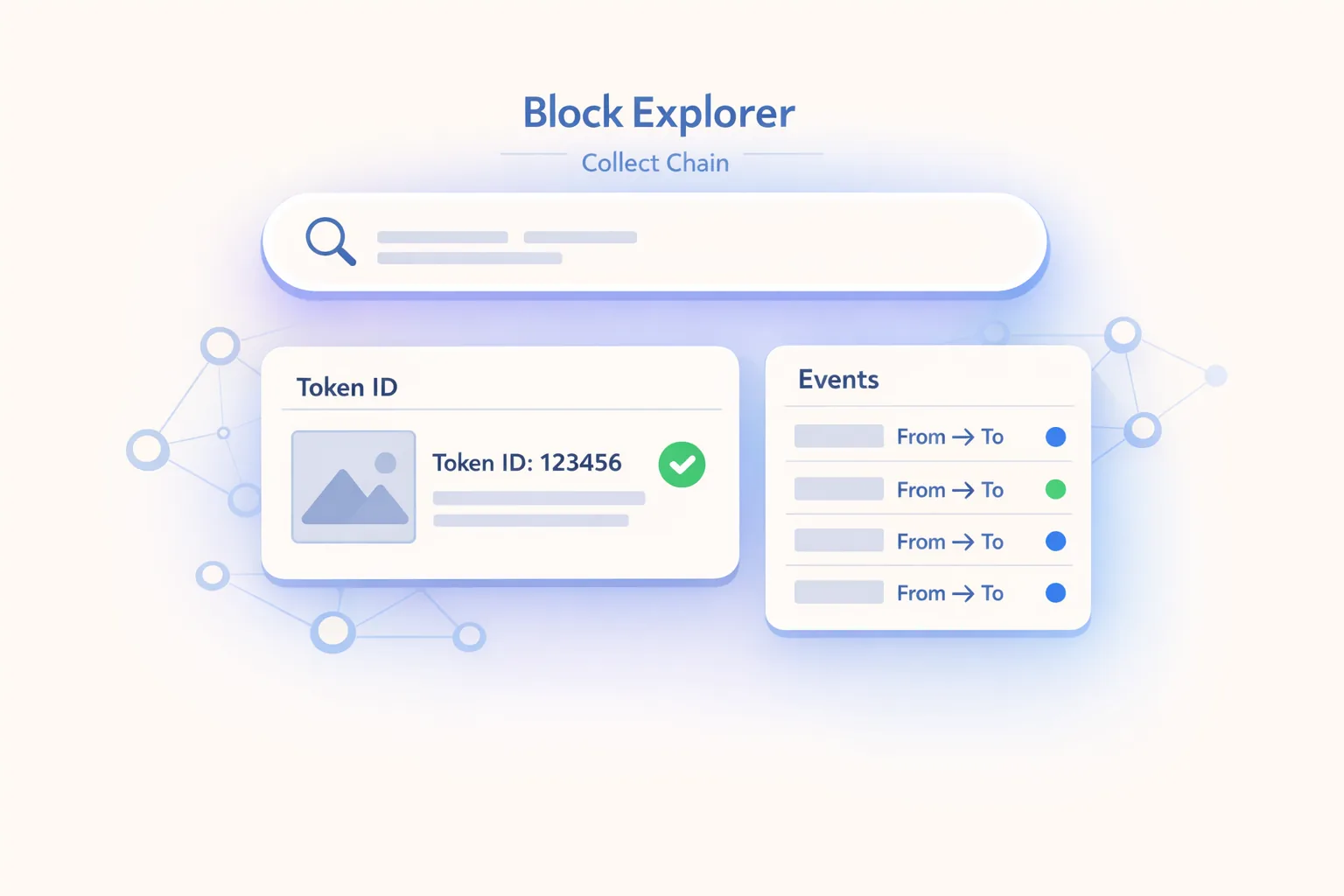
- The Block Explorer shows on-chain data: mint and migration details, token and edition details, and transfer history.
- You will often see custody or system addresses. Depending on the phase, this is normal and does not mean your item “does not belong to you.”
- Use the Explorer to answer common questions: “Is my item really there?”, “When was it minted or migrated?”, and “What transfers or events have occurred?”
- Set the right expectations: Explorer ≠ portfolio, ≠ price tracker, ≠ a guarantee of “immediate self-custody.”
- Security: Use official links only. No wallet connections, no seed phrases, and no “support” DMs.
What You Can Check Right Now—even if “Nothing” Has Changed in the App
By completing the migration on February 10, 2026, VeVe established the foundation for tracking collectibles on the Collect Chain. For you, that means the on-chain existence and provenance of your collectibles—their verifiable history—are now much easier to inspect.
- Does my collectible exist on-chain? You can find a specific token or asset in the Explorer and see that it was minted or migrated.
- What identifies it? The collection or contract, token ID, edition number or mint number if shown in the Explorer, and metadata.
- What history does it have? Transfers, events, and timestamps. This can help answer questions such as “Did anything move?” or “When did it enter my holdings?”
Important: Seeing something in the Explorer provides additional transparency. However, it does not automatically replace everything you know from the VeVe app, such as the portfolio view, Market interface, and collection organization.
Quick Start: Find a Collectible in the Collect Block Explorer in 7 Steps
These steps are intentionally written to remain useful even if the interface changes slightly. The Explorer may look different over time, but the basic process remains the same.
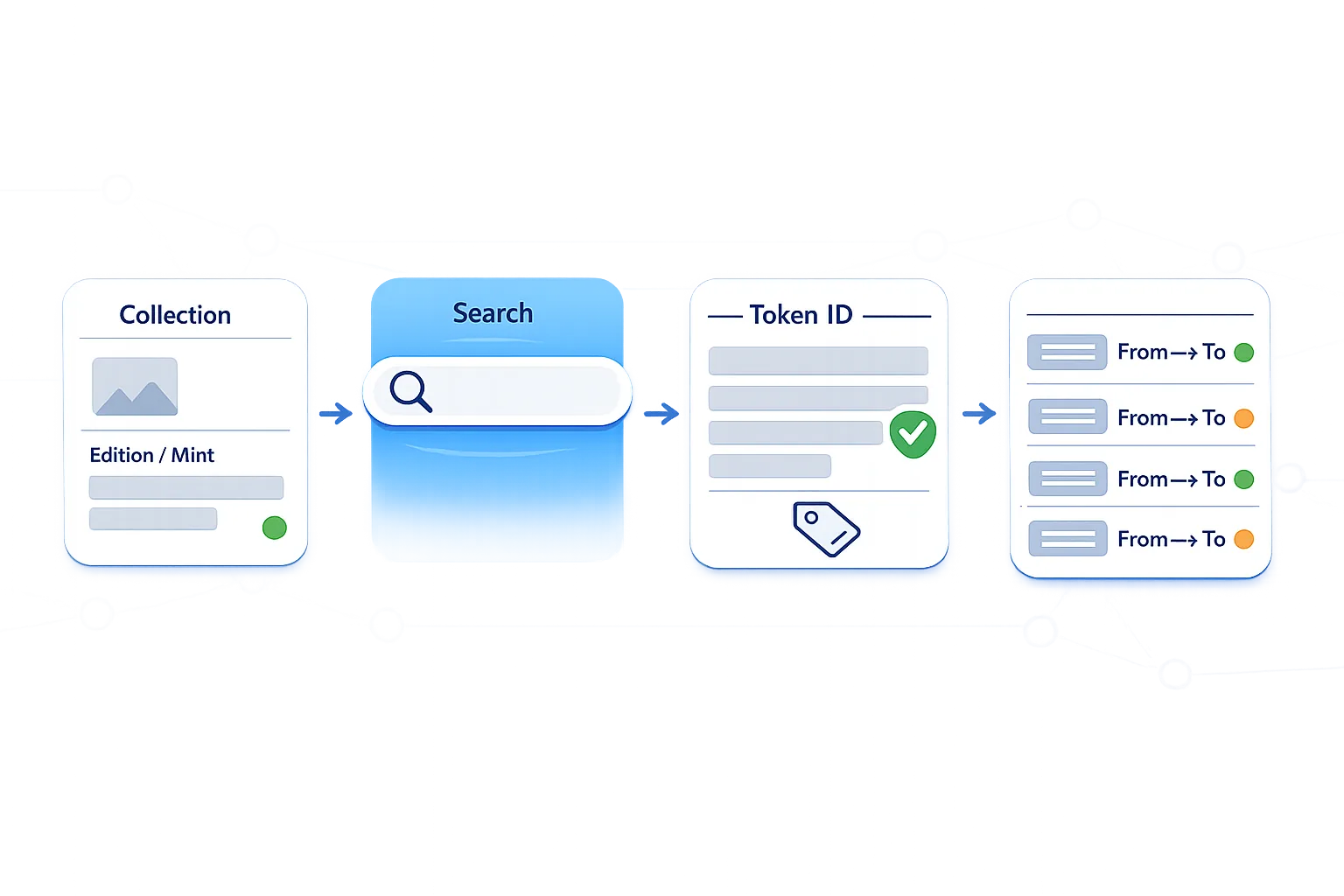
- Define exactly what you are looking for in VeVe: Open the specific collectible in the app and note at least the collection name or series and the edition or mint details VeVe displays. The more precise your starting information is, the faster you can find the item.
- Open the Explorer only through official VeVe sources: Use the link in VeVe’s official migration announcement from February 10, 2026, or access it through the VeVe app or website. Do not use links from DMs, Telegram or Discord “support,” or Google ads.
- Use the Explorer search: Depending on the Explorer, you may be able to search by collection or contract, token ID, transaction hash, or address. Start with the most specific information available, such as the token ID or collection or contract.
- Open the collection or contract page: If you start with the collection, you will usually reach a contract overview. This generally displays basic details such as the token type, number of tokens, possible verification or label information, and a list or view of individual tokens.
- Select the specific token: Open the token details page. Look for identifiers that match your item: token ID, name or series, edition number or mint number if available, and other metadata attributes.
- Verify that your item is really there: Check whether the token has a traceable history, including a mint or migration and subsequent events. An empty or broken token profile may be a warning sign—or simply an indexing or display issue—but it is not a reason to panic. Cross-check everything carefully first.
- Interpret transfers and events: Open the event or transfer list. Note the date and time, event type, and addresses involved. This is where you can answer many of the most common support questions, as explained below.
How to Read the Most Important Explorer Details Without Getting Sidetracked
1) Mint vs. Migration: What You Will Typically See
Many collectors immediately get stuck on the dates: “Was this newly minted?” or “Was it only migrated?” In Block Explorers, these are often shown as different events or as different points in the token’s history.
- Mint event: The original moment a token was created on the relevant chain or within the relevant structure.
- Migration, bridging, or system event: A technical event that may appear during a transition. It can look like a transfer even though it represents a system migration.
Collector-first tip: If you want to know when your collectible arrived “with you,” the mint or migration date alone is not enough. What matters is when an event reflects your ownership status within the system—for example, a transfer to a custody address associated with your VeVe account.
2) Ownership and Owner Addresses: Why You Often Will Not See “Your” Wallet
After the migration, some collectors expect to see a personal wallet address immediately. In many custody models, however, there is no direct one-to-one relationship. The Explorer will often show addresses that appear to be VeVe system or custody addresses.
Important expectation setting: A Block Explorer shows who is listed on-chain as the owner. Until a later phase such as “optional self-custody,” this may be completely normal even if the app continues to identify you as the owner.
3) Transfer History: Questions It Can Answer
Once you find a token, the event list is your best resource. It can help you clearly answer common collector questions:
- “Is my item really there?” → The token exists, its metadata appears plausible, and its history contains events.
- “When was it minted or migrated?” → Check the timestamps of the first relevant events.
- “Why do I see transfers when I did not do anything?” → System, custody, or migration events can look like transfers.
- “Was it ever sent?” → Check the From and To addresses in the history and look for events that correspond to an actual user transfer.
Collector Checklist: 7 Checks Before You Worry
- Is it really the correct collection or contract? Many scams use similar names.
- Does the token ID match what you are looking for, or did you find only “similar” metadata?
- Do you see a plausible first event? This may be a mint, migration, or initialization, depending on how it is displayed.
- Is the metadata view consistent? Check the name, series, attributes, and any media links.
- Have you interpreted the owner address correctly? A custody address does not automatically indicate a problem.
- Does the timing of the events make sense? Illogical jumps may also be caused by a display or indexing issue.
- Do not panic over “missing prices”: The Explorer is not designed to provide Market prices.
Key Terms Explained
- Collect Chain: VeVe’s name for the chain infrastructure where digital collectibles are represented on-chain following the migration.
- Block Explorer: A tool that displays blockchain data, including transactions, tokens, events, and addresses.
- Contract / Collection: The technical “home” of a token series, similar to a collection containing many individual tokens.
- Token ID: The unique ID of a specific token within a contract.
- Mint: The process through which a token is created.
- Transfer / Event: An on-chain record documenting a movement or action, such as a transfer from address A to address B or a system-generated event.
- Custody: Storage managed through a platform or service rather than your own wallet. In phased models, self-custody may become available later as an option.
- Provenance: The traceable origin and history of an item, including which events or transfers occurred, when they happened, and which addresses were involved.
Explorer Limitations: What You Should Not Expect
A Block Explorer is a transparency tool, but it is not built to replace the VeVe app. Without the right expectations, major migrations can quickly create confusion.
- Not a portfolio tracker: You will not get a polished collection display, and usually no complete overview of your VeVe account like the one in the app.
- Not a price tracker: On-chain data does not automatically equal Market prices. If pricing information appears at all, it is often incomplete or not presented in a collector-friendly way.
- No guarantee of correct interpretation: An event may be technically clear, but understanding its meaning—such as migration versus a genuine trade—requires context.
- Indexing or display may lag: Immediately after major updates, it is normal for Explorer interfaces or search functions to be less than perfect.
If you want to learn more about VeVe basics: New collectors may find it helpful to understand how VeVe works in general. You can also read our overview, What Is VeVe?
New to VeVe? According to the current starter credit guide, if you sign up through our link at no additional cost to you, you will receive a free $10 starter credit.
Common Mistakes to Avoid So the Explorer Does Not Mislead You
- Mistake #1: “The owner address is not my wallet, so the item is gone.”
During custody phases, this does not automatically indicate a problem. First understand how VeVe currently represents ownership. - Mistake #2: Accepting a Google ad link as the “official Explorer.”
This is a common phishing tactic. Always open the Explorer through official VeVe sources. - Mistake #3: Confusing collection names.
Similar names and spellings are common. Always verify the collection or contract carefully. - Mistake #4: Interpreting migration events as a “hack or theft.”
Technical events can look like transfers. Check the event type and context first. - Mistake #5: Interpreting missing pricing information as “worthless.”
Explorer data is not designed to provide Market prices. No price ≠ no value. - Mistake #6: Blindly trusting metadata without clearly identifying the token.
An image or name alone is not enough. The token ID and collection or contract are your anchors. - Mistake #7: Posting screenshots containing sensitive information in “support” chats.
Transaction data is usually fine to share, but never post account information, codes, or personal data.
Security: How to Spot Fake Explorers & Phishing
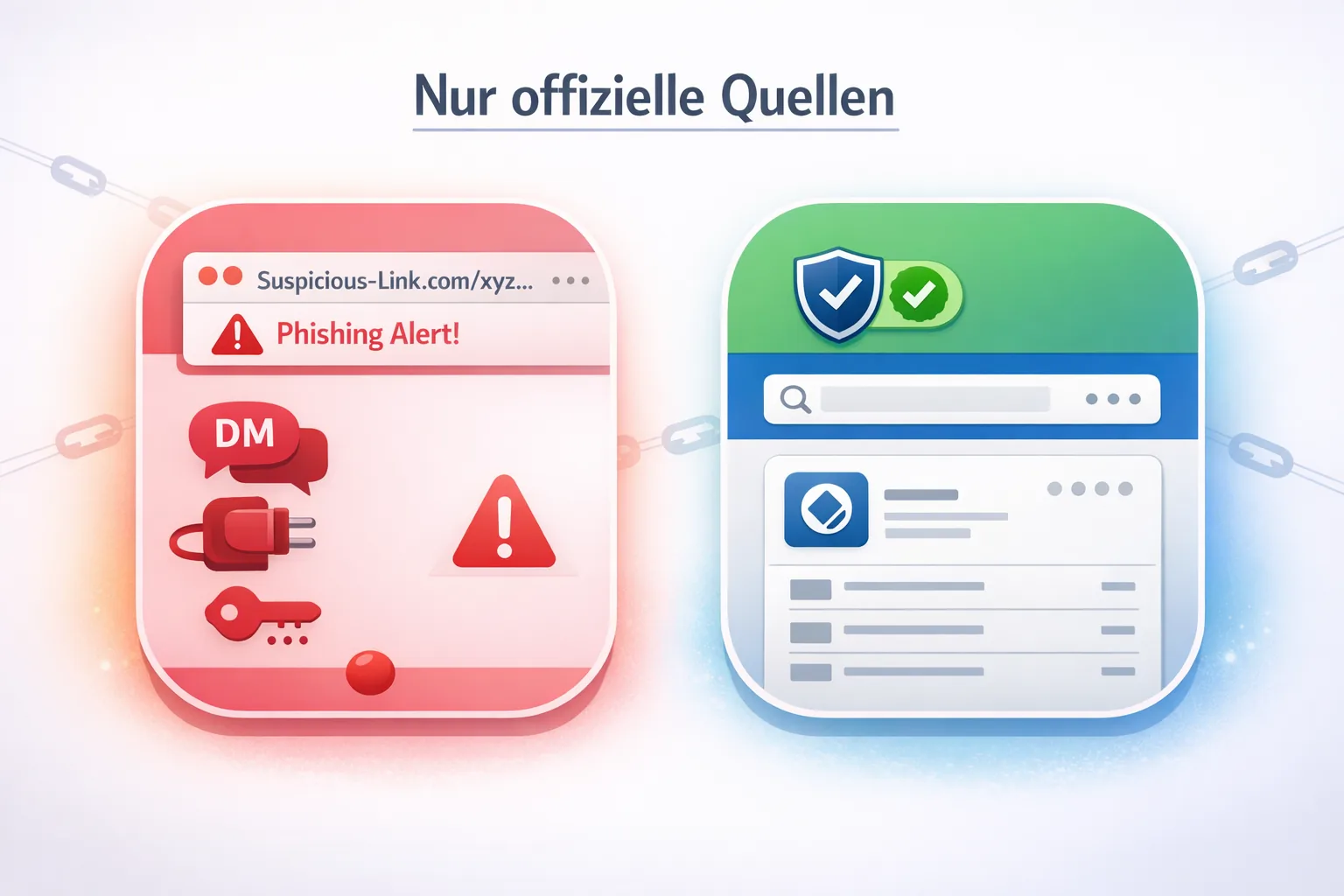
Whenever VeVe makes a major technical change, scam activity increases. Unfortunately, the new Block Explorer gives scammers a perfect setup: “Click here to check your migration”—and suddenly you are on a fake website.
How to Recognize Common Scam Patterns
- Unusual domains, including typos, extra words, different domain extensions, or links sent through DMs.
- Pressure or fear tactics: “Your items expire in 24 hours,” “verify immediately,” or “you will lose your items.” These are almost always scams.
- Wallet connection, seed phrase, or private key requests: A Block Explorer does not need any of these. Period.
- “Support” accounts on Telegram or Discord that contact you first: Legitimate support does not operate this way.
Safety Rules for Collectors
- Open the Explorer only through official VeVe posts, such as the Full Migration announcement from February 10, 2026, or through the VeVe app or website.
- Never share seed phrases, private keys, or codes—even if someone claims they need them “for verification.”
- If you are unsure, take a step back, verify the source, and only then click.
FAQ: Common Questions After the Collect Chain Migration
1) Why Do I See Transfers in the Explorer if I Did Not Do Anything?
Migrations and system changes often create events that look like transfers. What matters is which event type is displayed and which addresses are involved, such as system or custody addresses.
2) Is the Block Explorer Proof That VeVe “Really Has NFTs”?
The Explorer makes on-chain data visible and increases transparency. What that means for terms such as “NFT” in the VeVe context—including collectibles, custody, and self-custody phases—depends on VeVe’s specific implementation. For collectors, the key benefit is that you can verify tokens and their history instead of relying only on the app view.
3) Can I Export All My VeVe Holdings as a List From the Explorer?
An Explorer is generally not optimized for that purpose. It displays chain data such as tokens, addresses, and events, but not a collector-friendly portfolio view like VeVe. If exporting is available, it will likely be more technical—for example, through addresses—rather than a convenient collection overview.
4) What Should I Do if I Cannot Find My Token in the Explorer?
Start with a systematic check: Verify the spelling, confirm the collection or contract, and try another search method, such as the token ID instead of the name. If the migration is recent, indexing may also be a factor. Contact support only after checking everything carefully several times—ideally with the specific identifiers, including the collection or contract, token ID, and relevant transaction hashes.
5) Does the Explorer Show Prices or Floor Prices?
If it shows them at all, they will not usually appear in the format collectors expect from marketplace tools. A Block Explorer is not a price tracker. For price and listing questions, the VeVe Market or VeVe interface remains the more practical reference point.
6) Does “Custody” After the Migration Mean I Have No Control?
Custody primarily means that storage is managed by the platform, at least currently or during certain phases. This can still coexist with collector rights and account ownership in the app. It is important to understand custody as the current state. VeVe often discusses phases in this context, such as optional self-custody at a later stage. Without official detailed rules, you should not make additional assumptions.
More From VeVeInsider for Context & Perspective
- Blog Overview – for our latest guides, updates, and how-tos in one place.
- Is VeVe Legit? Experiences – for more context on custody and the platform itself.
New to VeVe? According to the current starter credit guide, if you sign up through our affiliate link at no additional cost to you, you will receive a free $10 starter credit.
Sign Up for VeVe With Starter Credit
Note: Affiliate link—we may receive a commission at no additional cost to you.