If you primarily use VeVe as a collector, there is really only one thing you want after a chain migration: My collection should be complete—and the history needs to be accurate.
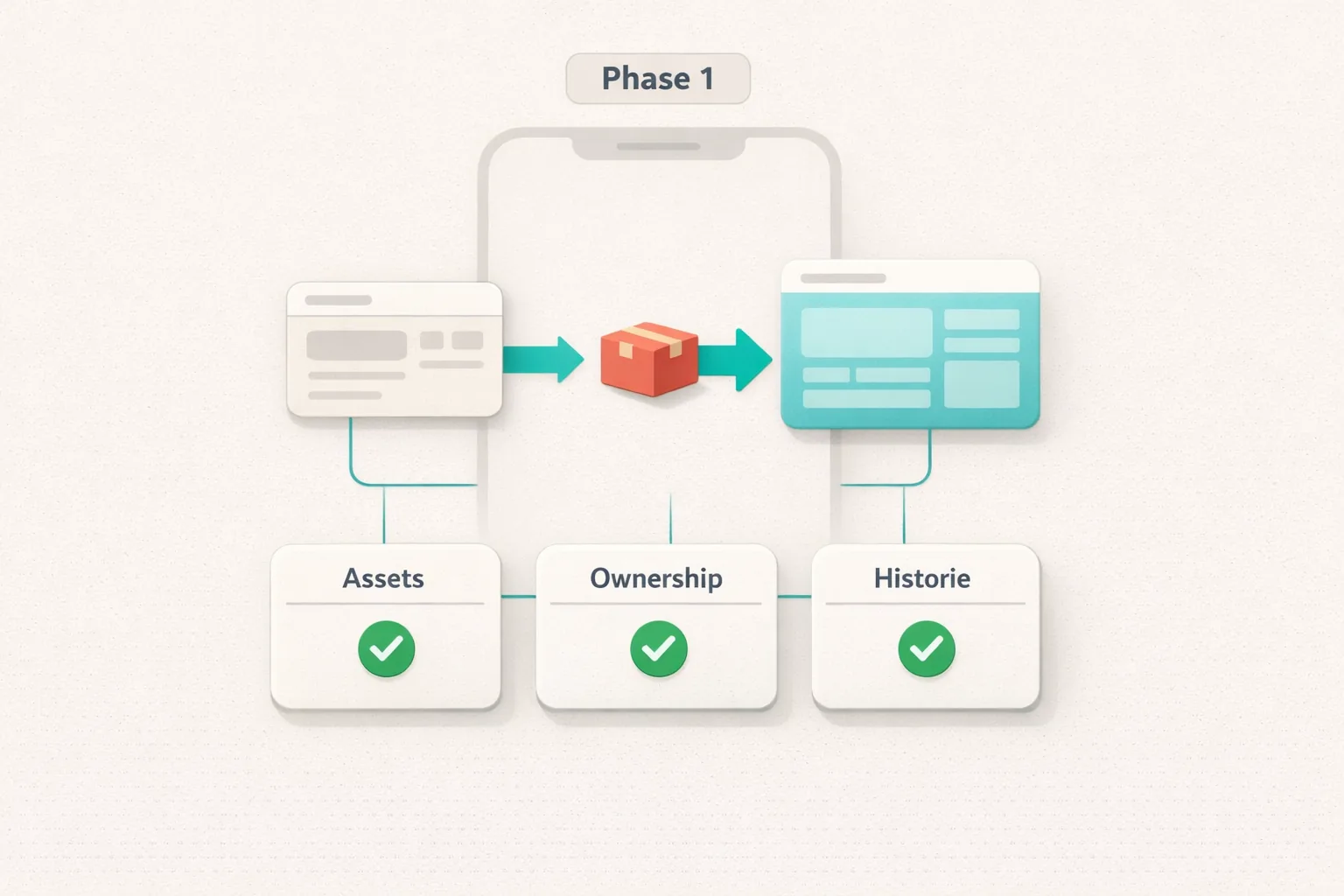
Phase 1 of the Collect Chain migration is often described as a “move.” That is not a bad way to put it—but you need to understand exactly what moved (and what did not) so you can check the right things without going down the wrong path.
TL;DR
- Phase 1 primarily affects the technical “home” and ownership/ledger model of your digital collectibles—not necessarily how they appear in the app.
- Much of the app remains the same (login, collection view, Market flow), but IDs, links, and the “source of truth” for ownership and history may have been reorganized behind the scenes.
- Your job as a collector: Count and review your collection, spot-check item detail pages, confirm that your transaction history makes sense, and test Market functionality.
- If something is missing: First rule out local causes (filters, syncing, app version), then gather solid information (item details, transaction time, screenshots) before contacting Support or using official channels.
What Does “Collect Chain Migration—Phase 1” Mean in Plain English?
For more technical context about OMI, StackR, and Collect Chain, see Immutable X Deprecated.
At its core, a chain migration is a change to the infrastructure that technically represents digital ownership rights and transfers. Ideally, users should feel as though nothing happened: You open the app, see your items, and trade as usual.
Phase 1 is typically the part where the ownership model (who owns which asset) and its associated transaction logic are moved to a new system. It is less about “new features” and more about a “new foundation.”
What Was “Moved”?
Think of it in three layers:
- Asset/token representation: A collectible does not exist only as a 3D or 2D file. It also has a unique record establishing that this specific edition belongs to you.
- Ownership registry (source of truth): The system that records ownership and transfers in a verifiable way is moved to Collect Chain.
- Connection to your VeVe account: Your account remains your point of access, but the “account ↔ ownership” relationship may have been remodeled behind the scenes—for example, through new address/account mappings or references.
What Stays the Same in the VeVe App?
In practice, much of the experience remains the same for most collectors during Phase 1:
- Your login (email/account flow) and profile.
- Your collection view (sorting, search fields, and set display).
- The item detail page (edition/mint number, rarity, and media/AR where applicable).
- The Market flow (listing, buying/selling, and confirmations)—where available for your region/account configuration.
Why You Should Still Check—Without Panicking
Migrations can be prone to issues—not because “your ownership is gone,” but because syncing, caches, filters, indexing, and UI logic may not update cleanly right away.
As a collector, you therefore want to distinguish between two things:
- A display issue (the app does not show something, shows it late, or displays it differently) versus
- An actual data issue (the ownership record or history is incorrect).
Quick Start: 7 Checks to Perform After Phase 1
If you only want to spend 10–15 minutes, these steps will quickly give you a good sense of whether everything looks right.
Step 1: App Version & Basic Sync
- Update the VeVe app to the latest version.
- Fully close the app and restart it.
- Switch between Collection, Profile, and Market (if available) once so the views reload.
Step 2: Confirm Your Approximate Total
- Make a note of roughly how many collectibles/comics you had.
- Compare that with the current total in the app. Do not fixate immediately on a difference of one or two—keep checking first.
Step 3: Spot-Check Key Items
- Open 5–10 of your most important items (high-value, personally meaningful, rare, or part of sets).
- Check: Is the edition/mint number visible? Is the rarity correct? Does the image/3D model load?
- If you had created listings, check whether their status makes sense (active / sold / expired).
Step 4: Scan Your Collection View for “Hidden” Issues
- Reset all filters (rarity, brand, and sorting).
- Search specifically for an item you know you own (name/series).
- Check whether any duplicates or “ghost” entries appear.
Step 5: Spot-Check Your Transaction History
- Find three reference transactions: a Drop purchase, a Market purchase, and a sale (if applicable).
- Check: Do the date and time make sense? Is it the correct item? Is the outcome (bought/sold) correct?
Step 6: Test Market Functionality Without Risk
- Open the Market and load any listing page.
- Test the filters and sorting—navigation only; no purchase is necessary.
- If you sell: Check whether you can access the “List” flow, without completing the listing if you are unsure.
Step 7: Verify On-Chain Only if Something Looks Wrong
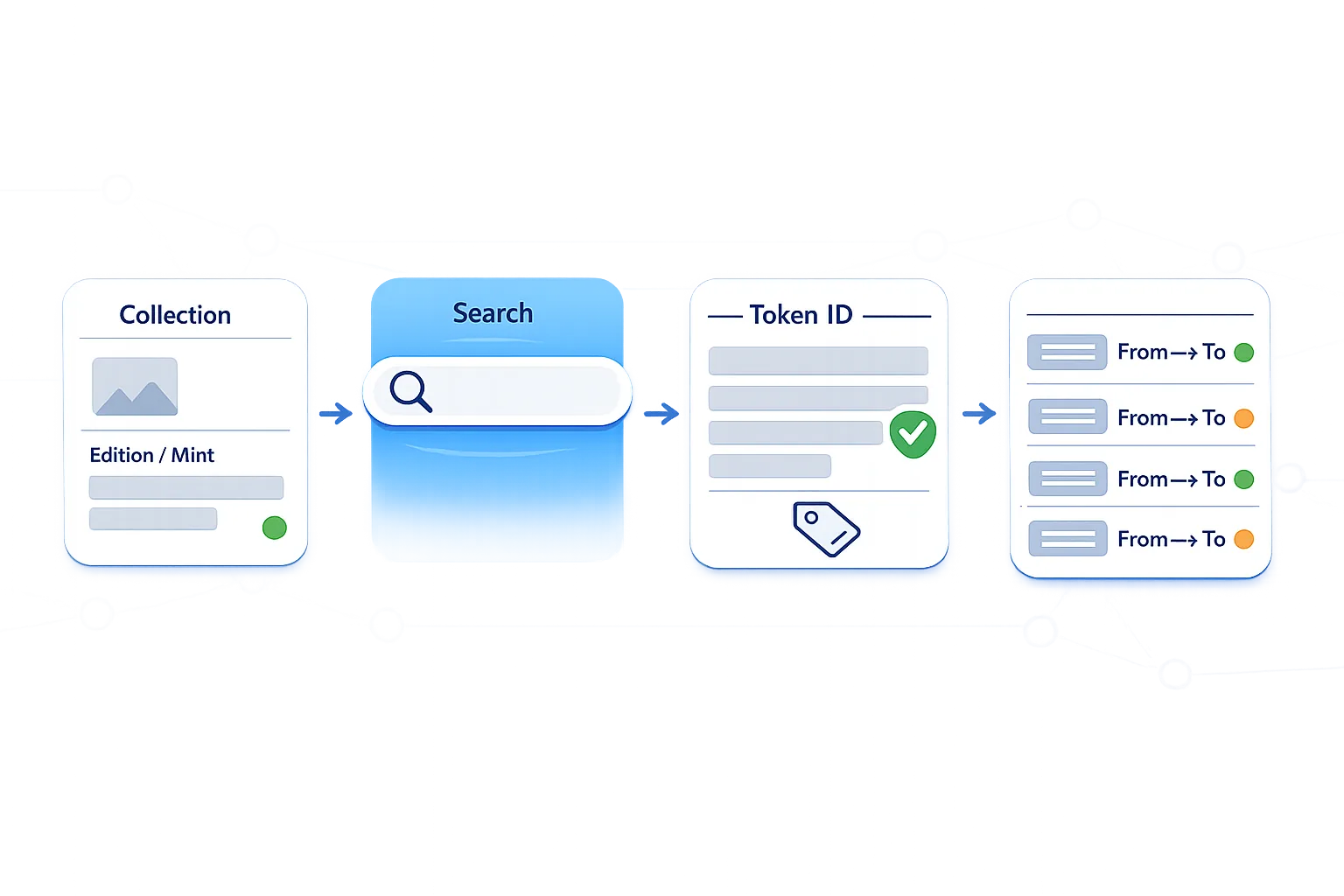
- If something feels “genuinely wrong” (an item is missing, history is incomplete, or a status conflicts), verify that specific issue through an explorer.
- Use a step-by-step guide so you do not end up on a fake explorer.
If you are new to VeVe or need a refresher, our introductory article can also help: What Is VeVe?
Collector Checklist: 7 Things to Review Now
This list is intentionally practical for collectors rather than focused on blockchain theory.
- Account status: You can log in consistently, without loops or repeated login prompts.
- Complete collection: Your approximate total and key items are present.
- Search & filters: You can find your items, and filters are not accidentally hiding anything.
- Consistent detail pages: Edition/mint number, rarity, and media load without errors.
- Plausible history: At least three known transactions are correct (Drop, buy, and sell).
- Market flow: Browsing, filters, and listing views work—even if you do not buy anything.
- Security: You use only official sources, not DMs or “Support” links from strangers.
Key Terms Explained
- Collect Chain: The chain/platform where VeVe assets are technically represented after the migration.
- Ownership model: The logic used to record and verify ownership and transfers.
- Ledger: The “record book” where transactions/events are logged chronologically.
- Indexing: The process of preparing data for fast searches and filters. This is often where display delays occur.
- Metadata: Additional asset data (name, series, attributes) displayed in apps and the Market.
- Explorer: A tool for publicly looking up transactions, tokens, and events. Watch out for fake sites!
- Cache: Temporary app/server storage that speeds up the display but may briefly lag behind after updates.
Where Should I Check Each Area? (Account, Collection, History, Market)
1) Account Check: Is My Access Stable?
This is not about “crypto.” It is basic account hygiene. Session issues can occur after major updates.
- Can you log in reliably?
- Do you remain logged in when switching between areas of the app?
- Do your profile and collection appear without loading indefinitely?
If you are repeatedly logged out, update the app, restart your device, and—if you are comfortable doing so—log out fully and log back in once.
2) Collection View: Is Something Really “Missing,” or Is It Just a Filter?
The most common cause of “missing items” is surprisingly simple: filters, sorting, or a search/indexing delay.
- Reset all filters.
- Change the sorting option (for example, “Newest” ↔ “Oldest”) so the lists render again.
- Search for an item by its exact name, not just by brand.
Collector tip: If your collection is highly organized, check the set views rather than only the overall view. Sometimes set aggregation becomes accurate faster than the global list—or vice versa.
3) Transaction History: What Needs to Be “Correct”?
You do not need to audit everything. What matters is whether the key reference points you know are accurate:
- The Drop purchase you remember (date/item).
- A Market purchase (the item should appear in your collection afterward).
- A sale (the item should no longer appear in your collection afterward).
If individual entries look “odd,” note the item name, edition/mint number, approximate time, and take a screenshot. That information can be extremely valuable later—for both you and Support.
4) Market Functionality: What Is a Sensible Test?
Do not test the Market through risky actions. Look for stable signals instead:
- Listings load quickly and consistently.
- Filters and sorting respond normally.
- Detail pages display the price/status without errors.
If you are currently unsure, wait to create new listings or make large purchases until you have completed the basic checks. Not out of fear, but out of discipline.
Explorer Check (Only if Needed): How to Do It Safely
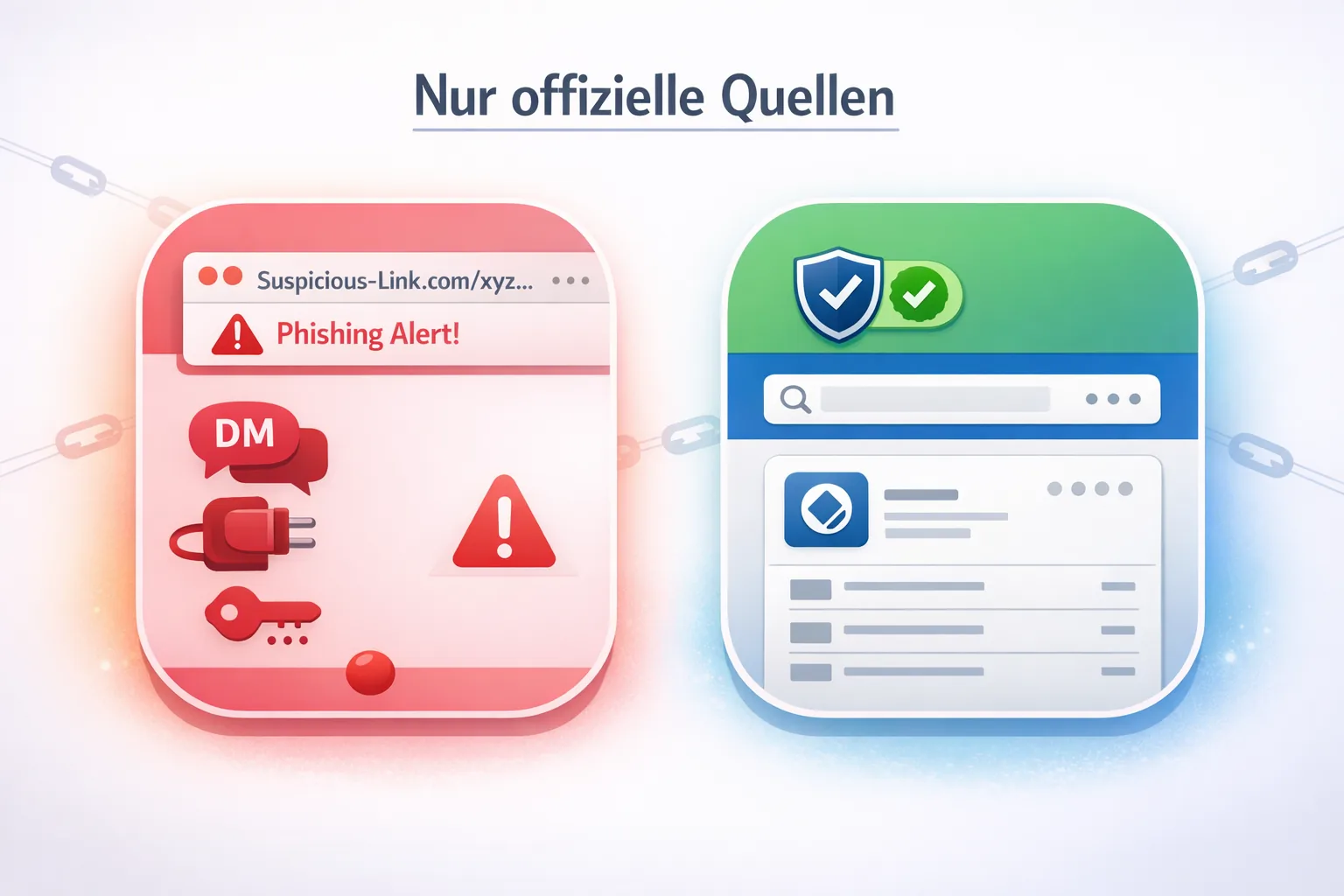
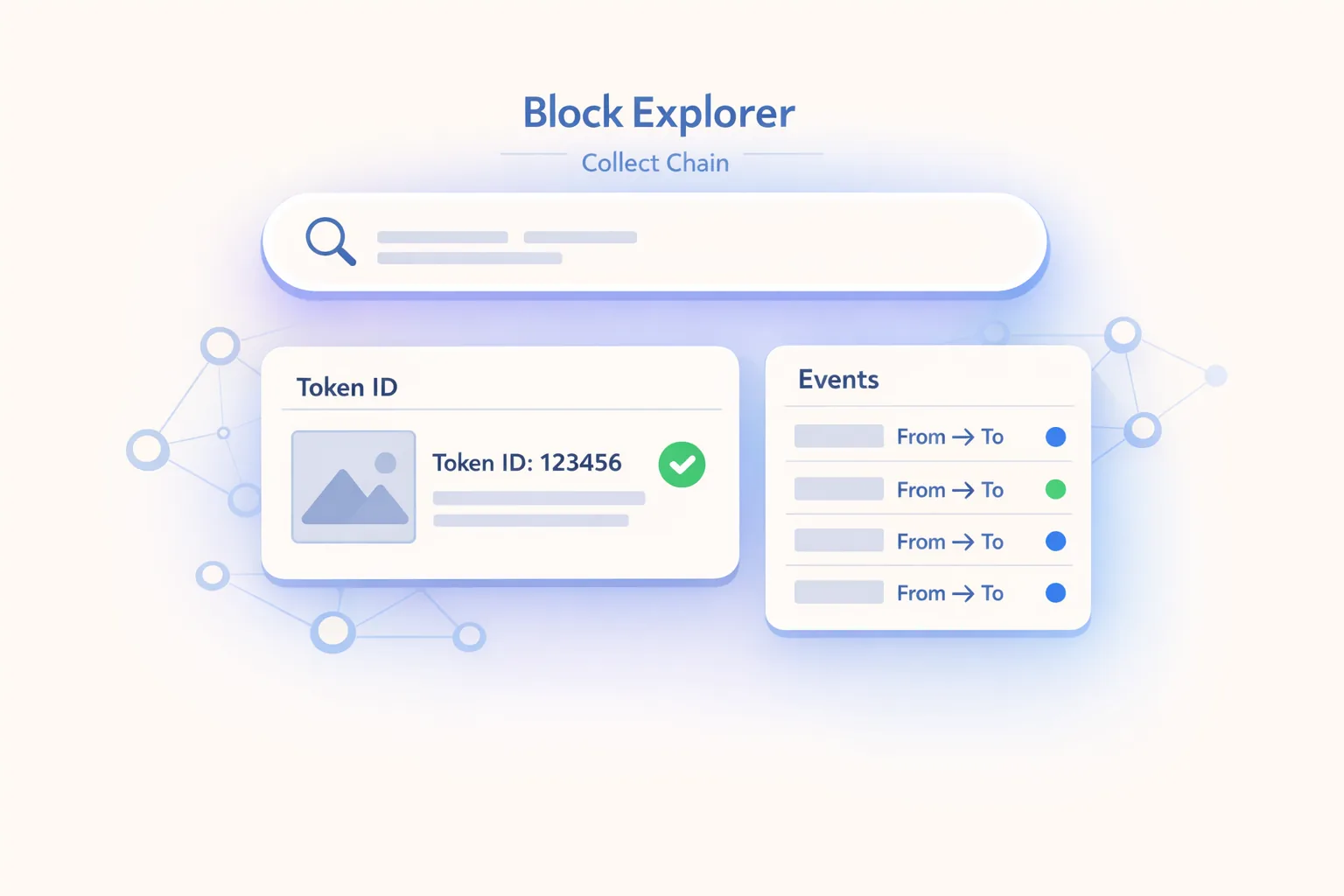
If you want to verify Collect Chain data, do it carefully—and do not let DMs or “Support” accounts on Telegram/Discord direct you to a website.
If you use an explorer, it is best to follow a clear guide: Collect Block Explorer Guide for the Collect Chain Migration.
What if Something Is Missing? Troubleshooting Without Overreacting
If you think an item is missing, follow these steps in this exact order. This helps separate display issues from actual data problems.
Level 1: Quick Checks (2–5 Minutes)
- Reset filters/sorting (set everything to neutral).
- Search for the item by name instead of only scrolling.
- Restart the app by fully closing it.
- Switch networks (Wi-Fi ↔ mobile data) if something appears stuck.
Level 2: Check Consistency (10–20 Minutes)
- Transaction history: Is there a purchase/transfer entry for the item?
- Set view: Does the item appear within the set?
- Mint number/edition: Do you have screenshots or notes—for example, from when you purchased it?
Level 3: Verification & Documentation (For Genuine Cases)
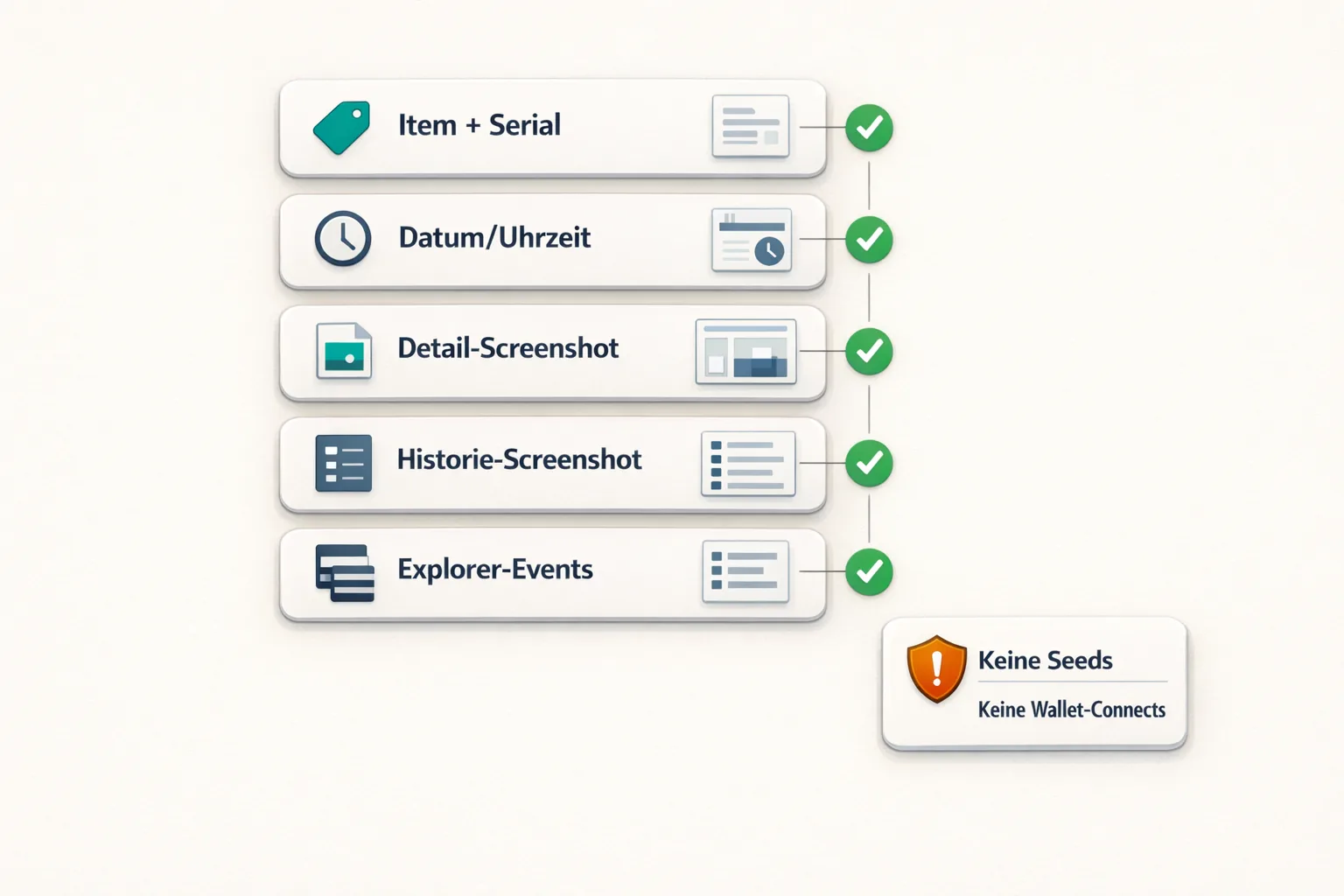
- Gather evidence: Screenshots (item page, history, and Market status where applicable), plus the date/time.
- Open the explorer only through official channels or established sources communicated by VeVe/Collect Chain. Do not use links copied from DMs.
- Submit a detailed Support ticket: Do not write “everything is gone!!!” Instead, state exactly what is missing, when the issue began, which steps you already tried, and which IDs/details you have.
Common Reasons Something May Appear to Be “Missing”
- Delayed indexing/sync (the item is there, but the UI displays it later).
- A filter is hiding items (rarity/brand/set/sorting).
- Listing status differences (the item is listed and displayed differently).
- Cache issues after an update (restarting often helps).
- Account mix-up (multiple accounts, an old email address, or the wrong login).
Common Mistakes to Avoid
- Falling for fake Support: Nobody needs your password, seed phrase, or a wallet connection “for verification.”
- Clicking unverified links: Open explorer links only from official sources or properly verified guides.
- Saying something is “missing” before checking filters: Reset filters and sorting first, then assess the situation.
- Panic listings: Do not rush to sell or rearrange your collection because you feel uncertain.
- Concluding too quickly that “everything is broken”: Indexing may visibly catch up after migrations.
- Failing to save evidence: Screenshots and approximate times are more useful than speculation.
- Repeating actions: If the app is stuck, do not hammer the same action (listing/canceling/etc.) 10 times in a row.
- Ignoring your device/network: Sometimes it is simply a local issue involving storage, an update, or the network.
- “Testing” with third parties: Do not share accounts or allow remote access.
- Submitting vague tickets: Support can only help if you clearly explain which item is affected and exactly what is wrong.
For more current guides and updates, visit the VeVe Insider blog.
New to VeVe? According to the current starter credit guide, if you sign up through our link (at no extra cost to you!), you will receive $10 in starter credit.
FAQ: Collect Chain Migration (Phase 1)
1) Do Regular VeVe Users Need to Actively “Migrate” Anything?
The goal of Phase 1 is generally to require as little as possible from end users. It can still be worth checking your collection because the display and indexing may need time to catch up. If VeVe asks you to complete specific steps in the app, follow only in-app instructions and official announcements.
2) Does Migration Automatically Mean My NFTs Are “Moved to a Wallet”?
Not necessarily. VeVe uses an app/account model in which ownership and access are represented through the platform’s logic. A migration can change the technical foundation without suddenly requiring you to complete traditional self-custody wallet steps.
3) My Collection Total Looks Different Than Before—Is That a Problem?
Not automatically. First check your filters and sorting, then spot-check your most important items. If key items are missing or the history is inconsistent, document the issue and work through the troubleshooting steps methodically.
4) Should I Check Everything in the Explorer Right Away?
Only if you have a specific reason. Explorers are useful for verification, but they also increase your exposure to scams because fake explorers and “verify your wallet” schemes target this exact uncertainty.
5) What Is the Best “Proof” if Something Is Genuinely Missing?
A combination of item details (name, edition/mint number), transaction references (purchase/transfer time), and screenshots. The clearer your information is, the faster Support or the platform team can investigate it.
6) Can the Market Temporarily Behave Differently After a Migration?
Yes. Possible issues include loading problems, delayed updates, or inconsistent views. The key is to avoid risky snap decisions: Complete the basic checks first, then act.
New to VeVe? According to the current starter credit guide, if you sign up through our affiliate link (at no extra cost to you!), you will receive $10 in starter credit.
Sign Up for VeVe With Starter Credit
Disclosure: Affiliate link (we may receive a commission at no extra cost to you).