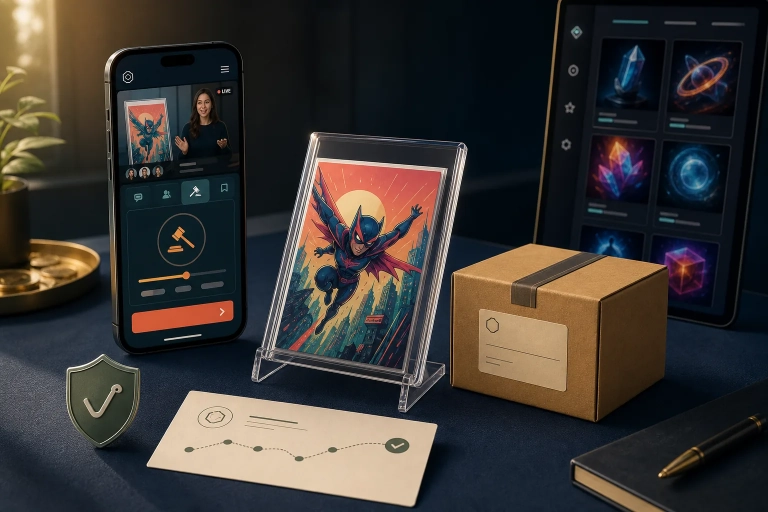
When the Collect Chain roadmap mentions “wallets” and “self-custody,” collectors immediately take notice: Finally, real control? Finally, truly “mine”? At the same time, self-custody is exactly where Web3 becomes unnecessarily risky for many users—not because of the technology, but because of usability and responsibility.
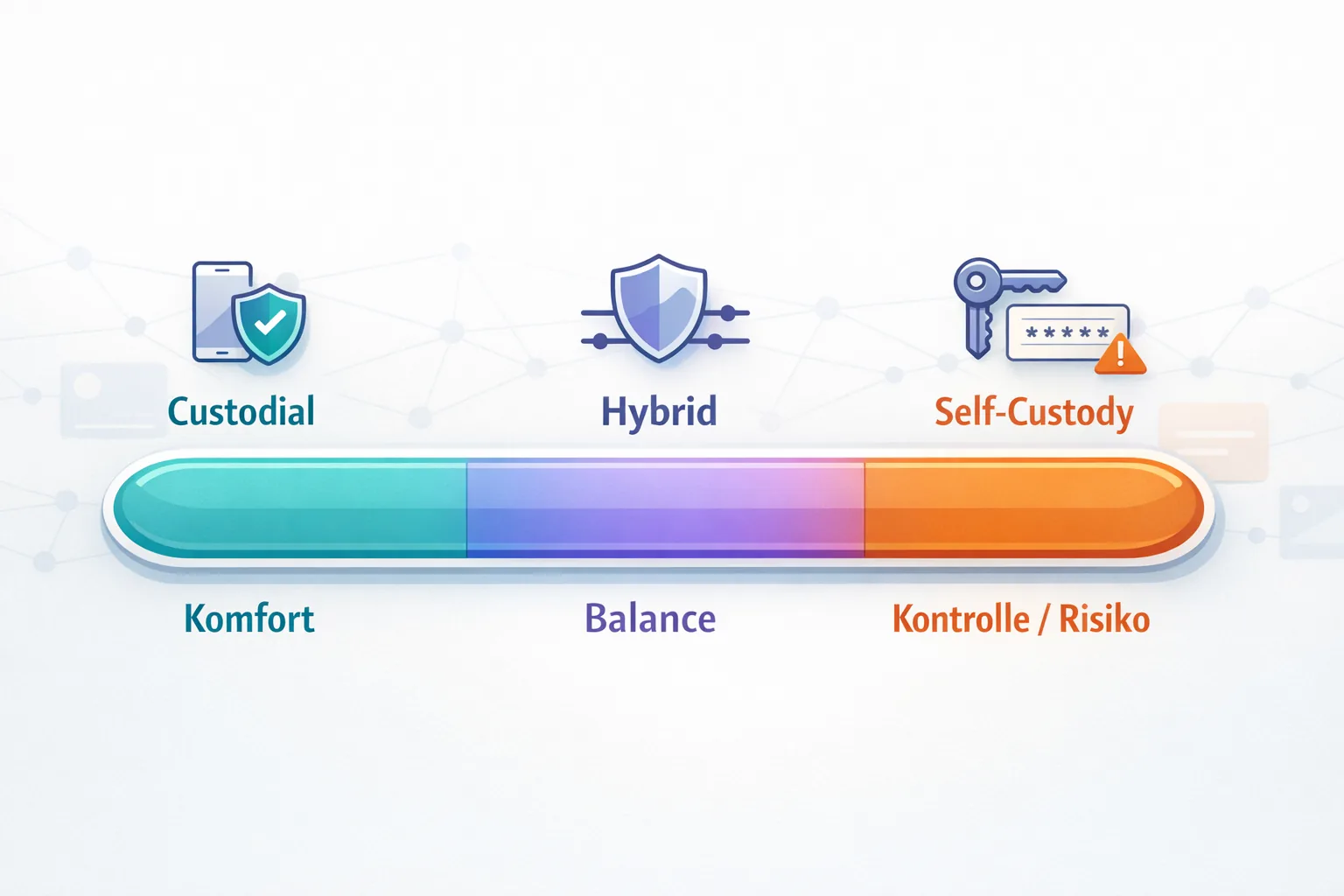
This article gives you a clear-eyed overview of the models that may sit behind “self-custody,” the opportunities that are realistic, the risks you should understand, and the steps you should take only after features are actually live and officially documented.
TL;DR (for collectors)
- Self-custody is not just a feature button: It is a security model with real responsibility, including backups, recovery, and scam protection.
- It is not simply “custodial vs. self-custody”: Hybrid models are also realistic, such as an app with recovery options, limits, approvals, and whitelists.
- The biggest risks are seed phrase mistakes, device loss, and phishing through DMs, fake explorers, and fake support.
- For many collector profiles, convenience > maximum sovereignty—and that is okay, as long as it is a conscious decision.
- Only make “big moves” such as wallet transfers or using external tools after an official launch, clear documentation, and your own tests with small amounts or assets.
Why Phase 2 Could Be a Turning Point for Collectors—and Why You Don’t Need to Panic
In traditional app ecosystems, “ownership” is often a mix of account permissions, platform rules, and what the interface displays. With a chain migration and potential wallet features, the focus shifts away from the app account alone and toward identity, addresses, signatures, and verifiability.
Important: Even if self-custody arrives, that does not automatically mean every collectible will be freely transferable, everything will work without rules, or every user should start using it immediately. Platforms often deliberately take a phased approach because collector security and support become more challenging at every stage.
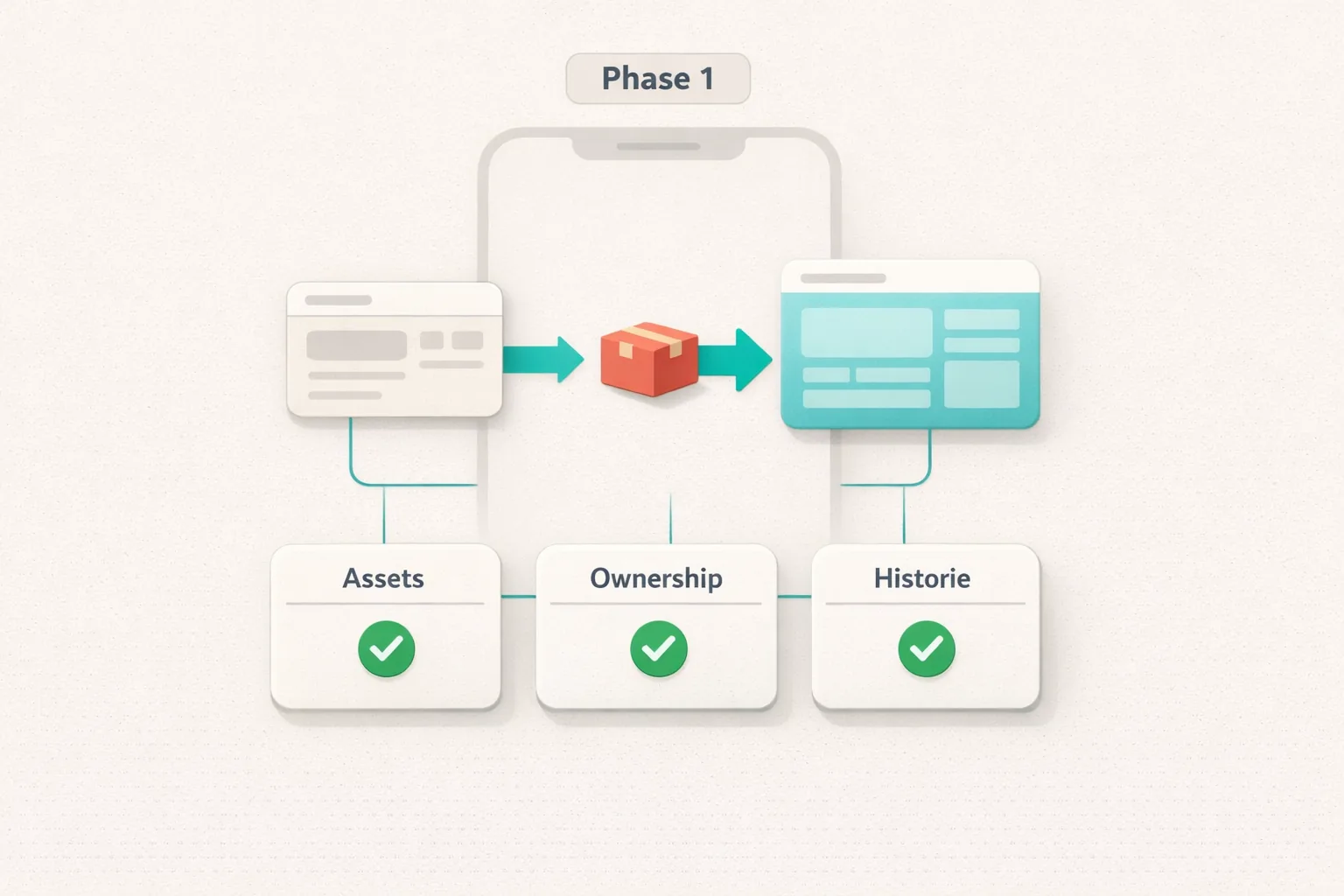
If you want to revisit Phase 1 properly, use our guide: Collect Chain Migration—Phase 1: Checklist & Troubleshooting.
What “Self-Custody” Can Mean in Practice: 3 Models You Should Know
Many discussions break down because everyone uses the term “self-custody” but means something different. For collectors, understanding these distinctions is invaluable because they directly affect both your level of risk and the convenience you get.
1) Custodial (Platform-Controlled): “You Have Access—the Platform Holds the Keys”
With custodial storage, the platform holds the private keys or signing rights, and you use the app through a login, 2FA, support processes, and potentially KYC. This is convenient in everyday use: Forgot your password? Support may be able to help. Got a new phone? You simply log in again.
For collectors, custodial storage often carries the lowest UX risk—but it also leaves you more dependent on platform rules and account access. If your account is compromised, the damage can become real very quickly.
2) Semi-Custodial / Hybrid: “More Control—with Guardrails”
Hybrid models are extremely common in practice, even when they are not always described that way. Examples—without suggesting that they will be implemented exactly like this—include:
- An app wallet with recovery options, such as recovery through verified factors.
- Approval requirements or waiting periods for transfers to reduce the impact of theft.
- Whitelists that allow transfers only to confirmed addresses.
- Limits within a set period, such as how many assets can be moved.
Hybrid models are often a good compromise: You get more genuine wallet functionality without requiring every user to master seed phrase management immediately.
3) Self-Custody: “You Are the Bank”
With true self-custody, you control the private key or seed phrase. That means you also control the assets—but you carry full responsibility. There is no recovery email and no support team that can simply reverse a transfer.
This offers maximum sovereignty, but it is also the model in which users are most likely to lose money or assets through very human mistakes: an incorrect backup, the wrong address, phishing, malware, or a fake wallet app.
Opportunities for Collectors: What Self-Custody Can Realistically Improve
Self-custody is not automatically “better,” but it can offer collectors real advantages if the platform implements it well and you use it in a way that fits your profile.
- Less dependence on the app login: Ownership is less closely tied to a single account mechanism.
- Better verifiability: Depending on the explorer and tools available, on-chain data may be more transparent than interface displays alone.
- Portability: In many ecosystems, self-custody is required to use assets in other contexts, such as wallets, viewers, and potentially external galleries.
- Your own security strategy: Collectors with the necessary knowledge can choose safeguards that go beyond standard account security, such as separate devices and clearly separated wallets.
If you want to dig deeper into “verify, don’t just hope,” our Collect Block Explorer Guide will help you understand common explorer information without requiring you to use self-custody first.
The Risks: Why Self-Custody Makes Collectors Responsible, Not “Rich”
The biggest risks are rarely technical exploits. Most involve UX pitfalls and social engineering. Collector accounts are popular targets because collectors often act emotionally: “I have to click right now or I’ll miss out!”
UX Pitfall #1: Your Seed Phrase Is the Master Key—and It Can Be Compromised Faster Than You Think
A seed phrase, or comparable recovery information, is the master key. Anyone who has it can often take full control of the wallet. The problem is that many users treat it like a password they can quickly enter somewhere. That is a common path to a total loss.
UX Pitfall #2: Device Loss—and Suddenly “Everything Is Gone”
If self-custody means you can access your assets through only one device, a device failure or loss becomes a serious threat. Backups are not optional in that situation; they are essential. And backups you have never tested are often worthless.
UX Pitfall #3: Phishing & Fake Support—the Most Common Everyday Attack
Scammers do not attack cryptography—they attack people. Common tactics include “support” DMs, fake login pages, fake explorers, and messages telling you to “connect your wallet now or lose your assets.”
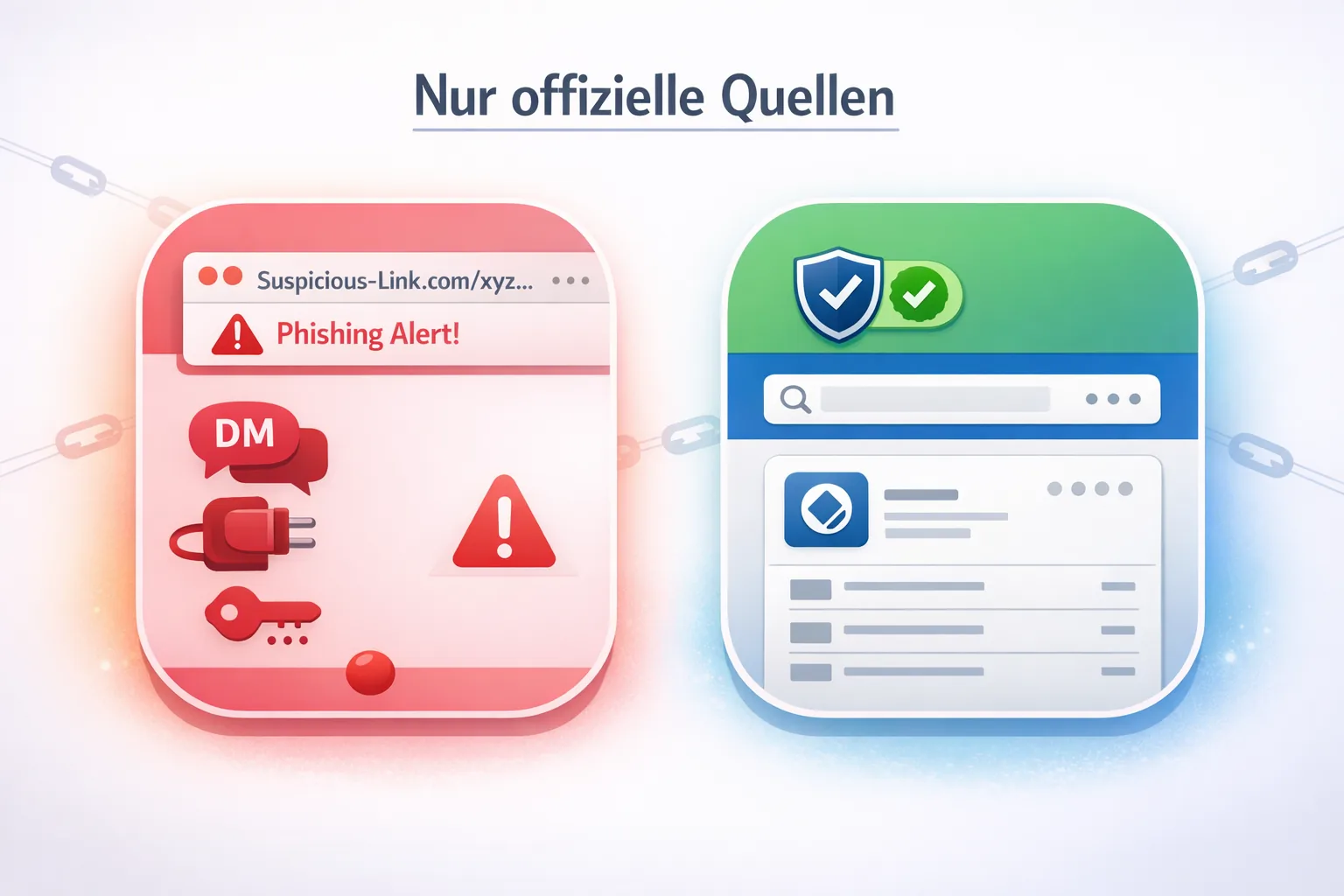
For a current example of scam traps and verification rules, see our article on sweepstakes rules and common scam tactics: Unbreakable Sweepstakes: Rules & Scam Traps.
Security vs. Convenience: The Trade-Off You Actually Need to Make
Many guides present self-custody as the inevitable endgame. From a collector-first perspective, the better question is: What risk are you willing to take—and for what benefit?
- Convenience-focused: You want to collect, participate in Drops, and trade without dealing with complicated backups.
- Control-focused: You want maximum independence and are willing to learn the necessary processes.
- Hybrid-focused: You want more control, but with safety guardrails such as limits, whitelists, and recovery options.
“Which Type Are You?”—A Decision Framework for Phase 2
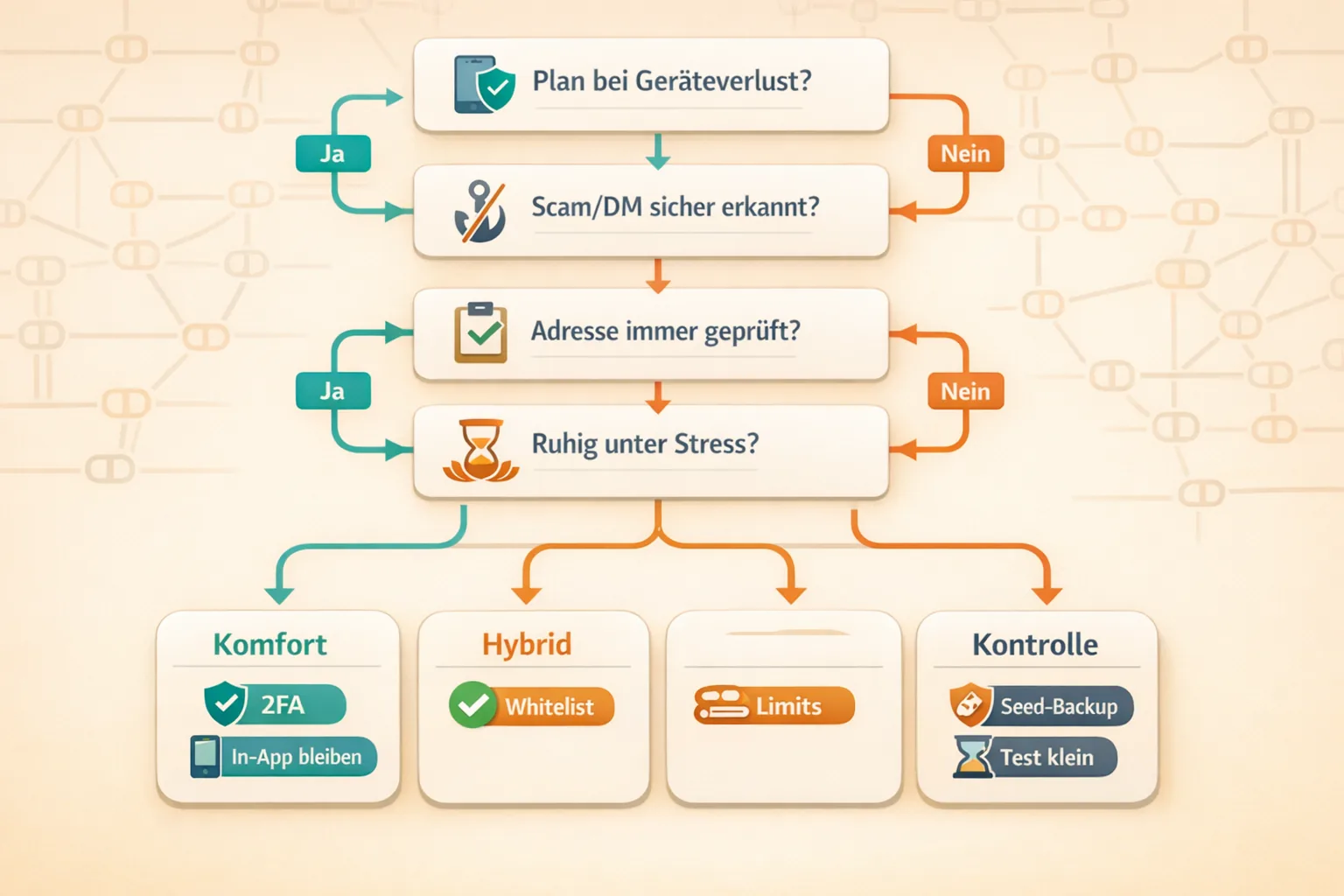
Answer these questions honestly:
- If I lost my phone today: Do I have a tested plan for regaining access?
- If someone sends me a “support” DM: Can I confidently recognize it as a scam?
- When I copy an address: Do I always check the first and last characters?
- When I am under pressure during a Drop or deadline: Can I stay calm enough to avoid mistakes?
Practical results:
- “I’m more convenience-focused” → Use a custodial or hybrid model and invest in account security first, including 2FA and good device hygiene, rather than “more complicated wallets.”
- “I’m hybrid-focused” → Wait for official guardrails such as whitelists, approvals, and limits, and use self-custody for only part of your collection.
- “I’m control-focused” → Self-custody may be a fit, but only with disciplined backups, resistance to scams, and careful testing.
Quick Start: How to Prepare for Phase 2 Without Getting Ahead of the Facts
This quick start is deliberately written to remain useful even if the details of Phase 2 are not yet final. The focus is on secure fundamentals, no speculation, and no risky “shortcuts.”
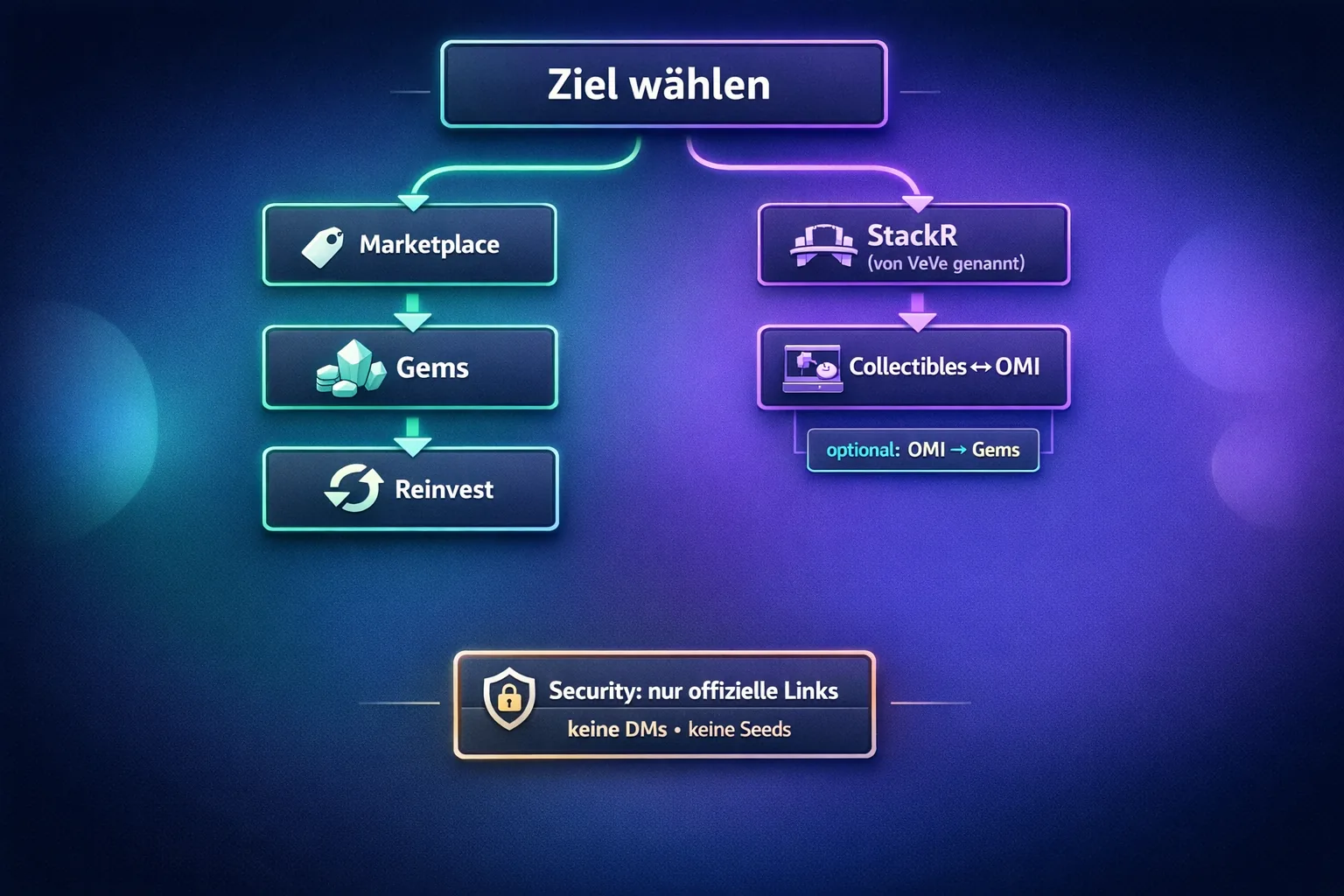
- Check the status using official sources only: Before changing anything, confirm through the app or official announcements what is actually live and what is still “coming.”
- Secure your account: Use strong, unique passwords and active security features such as 2FA and device locks. Self-custody does not replace good account hygiene.
- Turn on your scam filter: Make this your rule: No links from DMs, no “support” chats outside official channels, and never enter your seed phrase anywhere.
- Run a small test instead of going all in: When transfers or wallet features go live, start with the smallest practical test rather than your favorite grail.
- Plan for recovery: Before taking your first “real” step, consider what happens if your phone is lost, damaged, or stolen. Who could help you in an emergency without gaining access to your secrets?
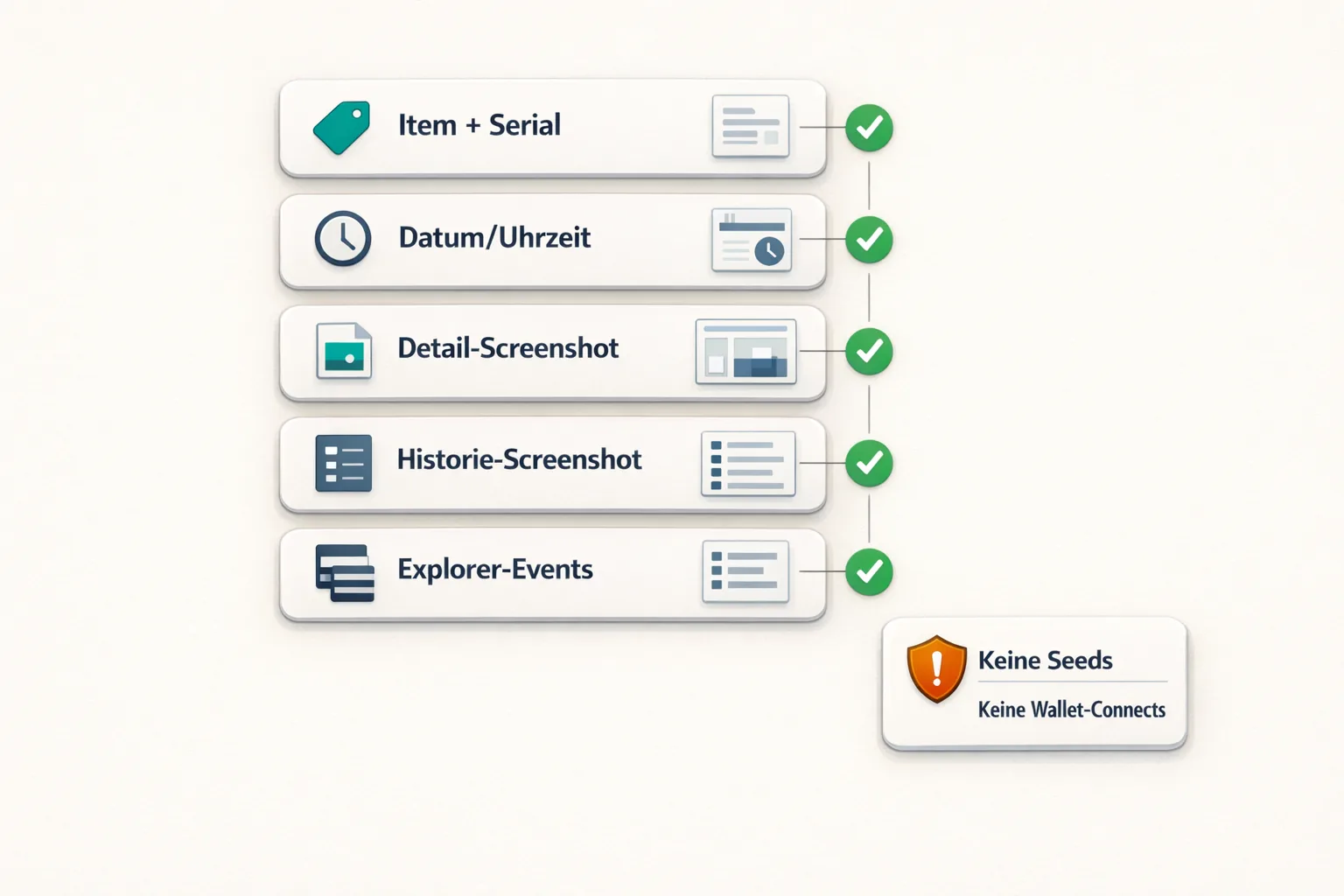
- Keep records: Note the date and time, the action you took, and which displays should change. This helps if something seems “off.”
- Learn to verify: Get into the habit of comparing the app display with explorer information when available. This reduces stress if the interface is slow to update.
This graphic can help you keep clear records without doing anything unsafe:
If you want to stay up to date on rules, cash-out options, and processes more generally, our blog overview is also a useful starting point.
New to VeVe? If you sign up through our link at no extra cost to you, the current welcome credit guide states that you will receive 10 $ in welcome credit.
Collector Checklist: Your Secure Foundation for Phase 2
- Use official information only, especially for wallet and transfer topics—no DMs and no third-party “how-to” links.
- Practice good password and device hygiene: Use a screen lock, install OS updates, and avoid suspicious apps.
- Follow calm, deliberate processes: Make transfers only when you have time—not when distracted or under Drop pressure.
- Check addresses: Verify the first and last characters before confirming.
- Create backups if self-custody arrives—not “later,” but before moving any significant assets.
- Start with a small test: Understand the feature and process before scaling up.
- Keep records and notes: Save screenshots, timestamps, and references in case you need support or want to verify something yourself.
Key Terms Explained: Especially Useful for Phase 2
- Wallet: Software or an environment that manages addresses and creates signatures. Not every “wallet interface” means self-custody.
- Custodial: The platform holds the keys; you access it through your login and account.
- Self-Custody: You control the key, such as through a seed phrase, and carry full responsibility.
- Seed Phrase: Recovery words that serve as a master key. Anyone who knows them can often take control of the wallet.
- Private Key: A cryptographic key used for signing. In practical terms, it is the “proof” that you are authorized to act.
- Phishing: Fraud involving fake websites, links, or support designed to steal information or signatures.
- Block Explorer: A tool for reading and verifying transactions or events on a chain.
- Whitelist: A list of approved destination addresses intended to make transfers safer, if offered.
Common Mistakes to Avoid: The Collector Edition
- Entering your seed phrase somewhere to “connect quickly”—this is almost always a no-go unless you are 100% certain you are inside your genuine wallet app.
- Trusting “support” in DMs—legitimate teams rarely need your secrets and will not pressure you to act immediately.
- Acting under time pressure—many incorrect transfers happen when someone tries to do something “real quick.”
- Relying only on the interface—interfaces can lag. When possible, verify before panicking.
- Never testing your backups—a backup you have never verified is a placebo.
- Failing to check addresses—copy and paste is not enough. Always compare at least the beginning and end.
- Keeping everything in one wallet—if self-custody arrives, collectors may benefit from separating “hot” and “cold” wallets, but only if they truly understand the concept.
- Installing “free” tools—avoid unknown wallet plugins or apps that request more permissions than necessary.
Device Loss, Recovery & Backups: Where Self-Custody Either Protects You or Creates Stress
The uncomfortable truth for collectors is that self-custody is less about “freedom” and more about recoverability at first. If you cannot recover your access safely, you do not have control—you only have hope.
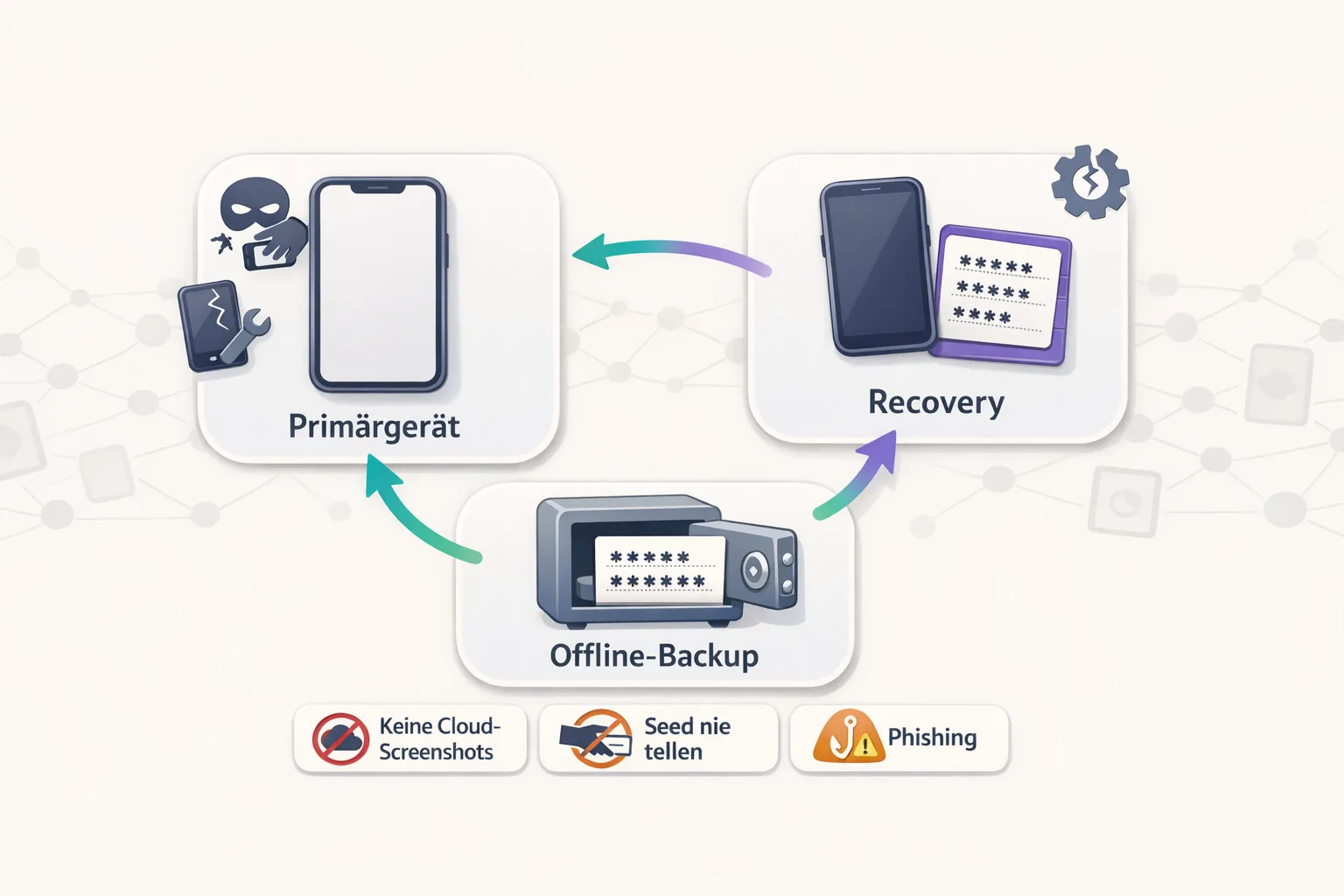
A collector-first approach means planning recovery so that you (a) do not depend on a single point of failure, such as one phone, one piece of paper, or one cloud login, and (b) do not accidentally hand your secrets to a third party.
If the topic feels overwhelming, that is not a “skill issue.” It is a legitimate sign that you may be better off with a more convenient model until solid guardrails and good UX are available.
Steps That Only Make Sense Once Phase 2 Features Are Actually Live
Many collectors want to “prepare” before launch. Preparation is good, but getting ahead of official information is risky. These steps only make sense once official, stable features are available:
- Build transfer routines only after it is clear which assets can be transferred, how transfers work, and under what conditions.
- Use external services such as swaps, bridges, and wallet connections only when they are officially recommended or clearly documented.
- Create a wallet structure, such as multiple wallets, only after you understand the daily workflow and can complete tests without errors.
- Do not leave KYC/verification until the last minute: If a process depends on it, complete it early and carefully. Guide: VeVe KYC Guide 2026.
If you are also exploring the “flow of funds,” including Gems, cash-outs, and alternatives, keep the topics clearly separated: Wallet features are a security model, while cash-outs are a matter of processes and rules. Start with VeVe Gems, OMI & Cash-Outs—2026 Guide and, for a scenario-based overview, VeVe Payout 2026: Gems No Longer Cashable—Is StackR an Alternative?.
FAQ: Collect Chain Phase 2 & Self-Custody
1) Does “Wallet” Automatically Mean I’ll Receive a Seed Phrase?
Not necessarily. A “wallet” could also be an app wallet with recovery mechanisms. What matters is whether you control the key yourself through self-custody or whether the system uses a hybrid or custodial model.
2) What Is the Biggest Self-Custody Risk for Collectors?
Usually, it is not “hackers” but phishing and user error: the wrong link, fake support, a leaked seed phrase, an incorrect address, or untested backups.
3) If Self-Custody Arrives, Should I Immediately Transfer Everything Off the Platform?
From a collector-first perspective, no—not automatically. A phased approach makes more sense: Run small tests, establish a clear strategy, and scale up only when you truly understand the process and the rules are clear.
4) What Is the Fastest Way to Spot Fake Links or Explorers?
Do not use links from DMs. Type domains yourself when possible, check official accounts and announcements, and never enter a seed phrase or password on websites that pressure you or request unusual wallet connections.
5) How Does a Block Explorer Help If I’m Not Making Transfers?
It can help you track status and events and understand delays in the interface. Start with our Collect Block Explorer Guide.
6) I’m New. Where Should I Start With VeVe Basics Without Jumping Straight Into Wallets?
Start with the overview What Is VeVe?, then work through the latest guides in our blog overview. Wallet and self-custody topics are not something you need to solve casually on your first day.
New to VeVe? If you sign up using our affiliate link at no extra cost to you, the current welcome credit guide states that you will receive 10 $ in welcome credit.
Sign Up for VeVe With Welcome Credit
Note: Affiliate link (we may receive a commission at no extra cost to you).