VeVe Promo Codes distributed through events, partner promotions, or physical products can provide access to a digital collectible. However, the code alone does not tell you where to enter it, how long it remains valid, or whether specific eligibility requirements apply.
This guide explains how to redeem safely through the VeVe Web App or Android app, covers the process for iOS users, and helps you properly assess deadlines, documentation, and suspicious messages.

TL;DR: Do not open VeVe through a link in a direct message. First, check the official promotion details and the information on your Redemption Card. The VeVe Web App is the primary redemption option for iOS users; on Android, a Promo Code section may appear in your profile depending on the app version. Save the code, card, proof of purchase, deadline, and redemption confirmation until the collectible appears in your collection.
What Are VeVe Promo Codes and Redemption Cards?
A VeVe Promo Code is a string of characters used to assign an eligible digital collectible to a VeVe account. A Redemption Card is the physical or digital card that contains or conceals the code and often includes additional redemption instructions.
VeVe has used these codes in several different contexts. Examples include partner projects such as Feeshes and event products where buyers of a physical item received a card for its corresponding digital collectible.
It is important to distinguish these from discount codes. A Redemption Code is generally used to claim specific digital content, while a discount code may change the price at checkout. Always rely on the exact name and description provided for the promotion.
Promo Codes, Claims, and Physical Redemption Are Not the Same
- Promo Code: A code is entered in a designated section of VeVe.
- Redemption Card: A card contains or conceals the code and may list applicable terms.
- Claim: Eligibility for a digital or physical item is confirmed through a defined process.
- Physical Redemption: Under certain conditions, a digital collectible may entitle its holder to receive a physical product.
Physical Redemption often comes with additional requirements involving the purchase channel, holding period, shipping information, and eligibility window. Our guide to VeVe phygital collectibles and Physical Redemption explains these differences in more detail.
Redeeming a VeVe Promo Code: The Safe Quick Start
Before revealing or entering your code, identify the campaign it belongs to. Do not rely on the VeVe logo alone: The product name, exhibitor, event location, and promotion period should also match the official announcement.

Step 1: Read the Promotion Terms
Check the official VeVe announcement, packaging, or Redemption Card for the redemption process and deadline. Also confirm whether the promotion is limited to specific regions, event attendees, first-time buyers, or purchase channels.
Do not rely on a deadline from a social media post without verifying it. The terms of the specific campaign are what matter, as different promotions may have different redemption periods.
Step 2: Sign In to the Correct VeVe Account
Before entering the code, verify the email address or profile of the account currently signed in. A successfully redeemed collectible may be tied to that account, and an accidental redemption to the wrong account may not be easy to reverse.
If you have trouble signing in, do not rapidly try the code across multiple devices. Instead, use a trusted browser or the latest app version and follow the steps in our VeVe Web App guide.
Step 3: Choose the Correct Redemption Method
For the Feeshes promotion, VeVe documented the process through the Web App: After signing in, users could open the menu in the upper-right corner, go to Settings, and then access the Promo Code section. On Android, the documented path went through the profile and then the Promo Code menu option.
For that promotion, iOS users had to redeem through the VeVe Web App. Because names and menu locations can change with updates, prioritize the path listed on your card or in the current campaign details.
As a practical rule, if the code feature is missing from your iPhone or iPad app, do not search for an unofficial alternative app. Open the official VeVe Web App manually using a bookmark you created yourself or through the official VeVe website.
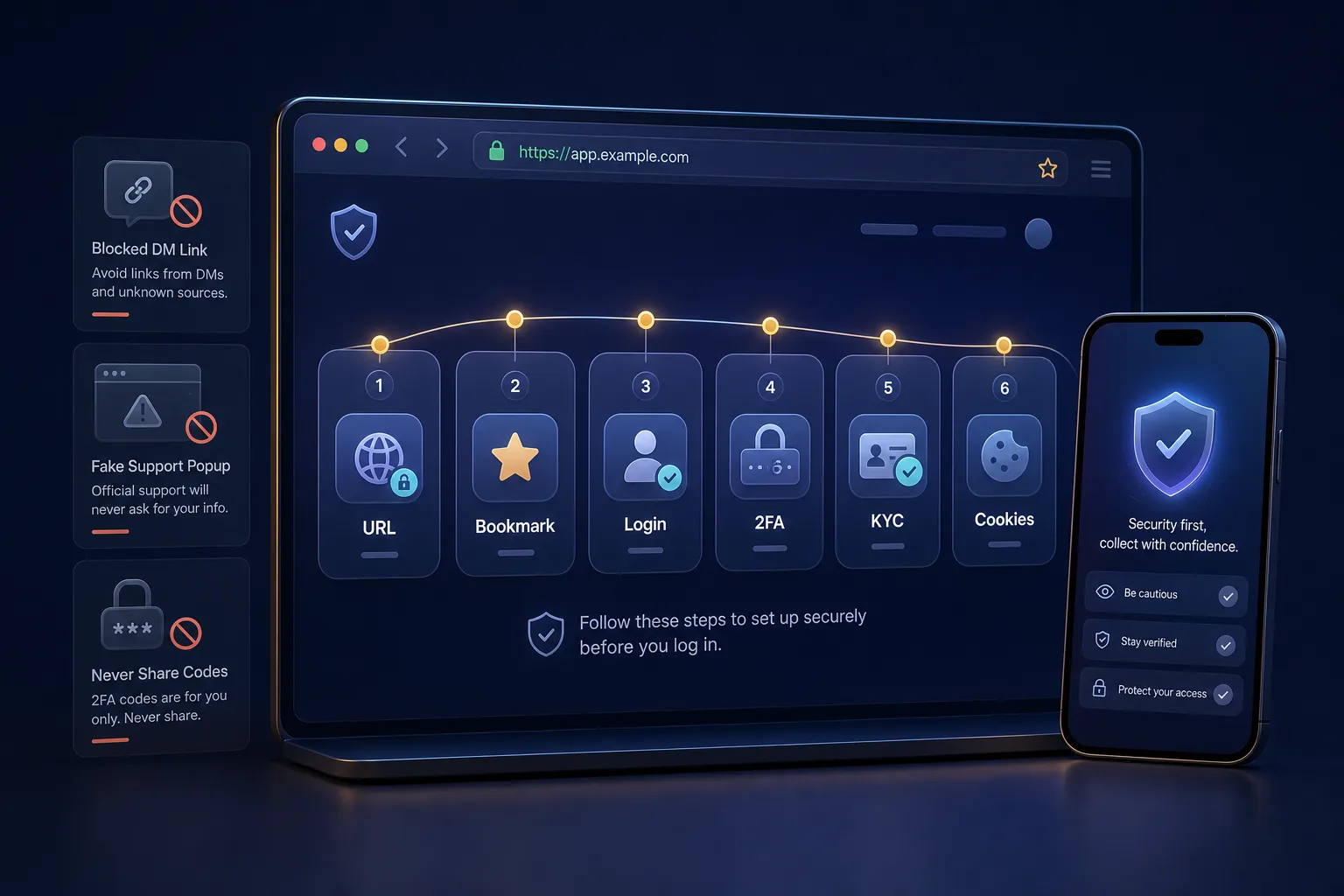
Step 4: Enter the Code Exactly
Enter the code without extra spaces and watch for characters that are easy to confuse. If the field preserves capitalization, do not change the code yourself; enter it exactly as shown.
Only photograph a scratched-off or opened code card for your private records. Do not share the photo in the VeVe Feed or a collector group. Even a clearly readable section may allow someone else to use the code before you do.
Step 5: Verify the Result
After confirmation, VeVe should indicate whether the redemption was accepted. Then check your collection, Wallet view, or the destination specified by the promotion. Depending on the campaign, the collectible may appear immediately or require some processing time.
Do not repeatedly retry the process at random if the collectible does not appear right away. First, record the time, device, browser or app version, and the message displayed.
Don’t have a VeVe account yet? Our VeVe sign-up and starting credit guide explains how to get started safely. Qualifying new users currently receive a free $10 starting credit; the applicable promotion terms must be followed.
iOS, Android, or Web: What Should Collectors Know?
A code can be legitimate even if the relevant menu option is not visible on your device. App Store policies, app versions, and campaign processes may mean that certain features are only available in a browser or on specific platforms.
iPhone and iPad
For the Feeshes redemption documented by VeVe, iOS users had to use the Web App. Unless a current promotion provides different instructions, the official Web App is therefore the logical place to check.
Android
For Android, VeVe documented a Promo Code menu option in the profile. If it is not available, update the app through the official store, restart it, and then check the Web App. Do not install an APK sent to you in a chat as a supposed special redemption version.
Desktop and Mobile Browsers
The Web App provides a controlled access point regardless of your smartphone model. Make sure password managers or automatic search suggestions do not direct you to a similarly spelled domain. A bookmark you create yourself reduces this risk.
Deadlines and Terms: Why the Card Alone Is Not Enough
Redemption offers do not share one standard validity period across all promotions. For the New York Comic Con 2025 Promo Redemption Cards, VeVe stated that they were valid for twelve months from the date of issue. After expiration, any remaining unredeemed promo collectibles could be burned.
This does not mean every VeVe code is valid for twelve months. For example, an earlier Cinemark promotion required redemption by a specific deadline, after which eligibility expired. Treat every deadline as campaign-specific.
Save These Details Immediately
- full name of the campaign or product
- issue date and exact redemption deadline
- specified time zone
- permitted redemption channel
- regional or account-related requirements
- terms covering the transfer or resale of the card
- confirmation of successful redemption
For event cards, the issue date may be crucial when the validity period begins on that date. Record it immediately after purchase rather than trying to estimate it months later from photos or travel documents.
What Documentation Should You Keep?
A code is not complete proof of purchase. If redemption fails, Support will need clear information about where the code came from and what happened during the technical process.
Whenever possible, save the receipt, photos of the front and back of the card, the product packaging, the official campaign description, and a screenshot of the error message. Only leave the complete code visible in Support screenshots if the official ticket form explicitly requests it.

For more information about keeping records of orders and transactions, see our guide to VeVe receipts and proof of purchase.
How to Spot Fake Codes, DMs, and Unofficial Links

Promo campaigns create time pressure, making them an attractive theme for phishing. Scammers may claim that a code must be activated through a special link, that you need to connect a wallet, or that an additional fee must be paid.
A legitimate VeVe redemption process should not ask you to disclose passwords, two-factor authentication codes, recovery information, or wallet keys in a chat. Never share this access information with supposed employees, moderators, or sellers.
Clear Warning Signs
- A direct message promises to reactivate your expired code.
- A website asks for a seed phrase or private key.
- The sender creates pressure with a deadline only minutes away.
- You are asked to send crypto to an address to unlock the item.
- The link uses different spelling or additional domain components.
- A seller refuses to provide proof of where the unopened card came from.
- The complete code is readable in a public sales photo.
Use caution even with legitimate physical products. Opened packaging or a revealed card may contain a code that has already been used. Do not pay a significant premium solely because someone claims that a digital collectible is guaranteed to be included and still available.
What Should You Do If a VeVe Promo Code Does Not Work?
First, read the complete message. An invalid code, an already redeemed code, and a temporary technical error are different issues and should not be handled the same way.
Compare every character with the original card.
Check the deadline, time zone, and eligibility requirements.
Confirm that you are signed in to the intended VeVe account.
Try the officially designated channel, particularly the Web App on iOS.
Document the error message without posting the code publicly.
Then contact official Support with one complete ticket.
Our guide to contacting VeVe Support explains what to include in a useful ticket. Do not open multiple cases for the same code at the same time, as this may make it harder to match the information to your case.
Collector Checklist Before Redemption
- The promotion is documented through an official VeVe or partner channel.
- The product, event, and date match the Redemption Card.
- The deadline and its time zone have been saved.
- You are signed in to the correct VeVe account.
- You opened the website or app yourself rather than through a DM.
- The code is not visible in any public photo.
- The receipt and the unopened or opened card have been documented.
- The confirmation and received collectible will be checked after redemption.
VeVe Promo Code FAQ
Where Do I Enter a VeVe Promo Code?
For Feeshes, VeVe documented code entry in the Web App through Settings and Promo Code. On Android, the documented path went through Profile and Promo Code. For newer promotions, prioritize the official campaign details or the instructions on the Redemption Card.
Can I Redeem a VeVe Code in the iOS App?
This was not possible for the Feeshes promotion; iOS users had to use the Web App. Check each new promotion to see whether VeVe provides an updated process.
Are All Redemption Cards Valid for Twelve Months?
No. The twelve-month rule was specified for certain event redemptions. Other partner promotions had specific deadlines structured very differently.
What Happens to an Unredeemed Promo Collectible?
That depends on the promotion terms. For the NYCC 2025 Promo Redemption Cards, VeVe stated that remaining unredeemed digital collectibles could be burned after the validity period expired.
Can I Resell a Redemption Card?
Check the terms first. In its NYCC terms, VeVe described event-related giveaways and digital Redemption Cards as promotional items that should not be resold. Regardless, used cards carry the risk that the code has already been redeemed.
Do I Need Gems to Redeem a Promo Code?
There is no single answer that applies to every campaign. Read the promotion terms and do not confirm an unexpected payment. A fee request sent later by DM is a warning sign.
Want to try VeVe for yourself? When you sign up for VeVe with a $10 starting credit, qualifying registrations receive a free $10 starting credit. Affiliate disclosure: VeVeInsider may receive a commission; there is no additional cost to you, and you receive a free $10 starting credit.
Sources