For many collectors, the VeVe Web App is no longer just a secondary option. It becomes especially important when you want to access Artworks through Silent Auctions, properly manage your account, or review certain web workflows more easily on desktop.
At the same time, this is where many support questions arise: login does not work, the security code arrives late, KYC seems unclear, a Gem purchase fails, or the browser blocks checkout. This guide brings together the most important steps with a collector-first approach: safe, straightforward, and without false promises.
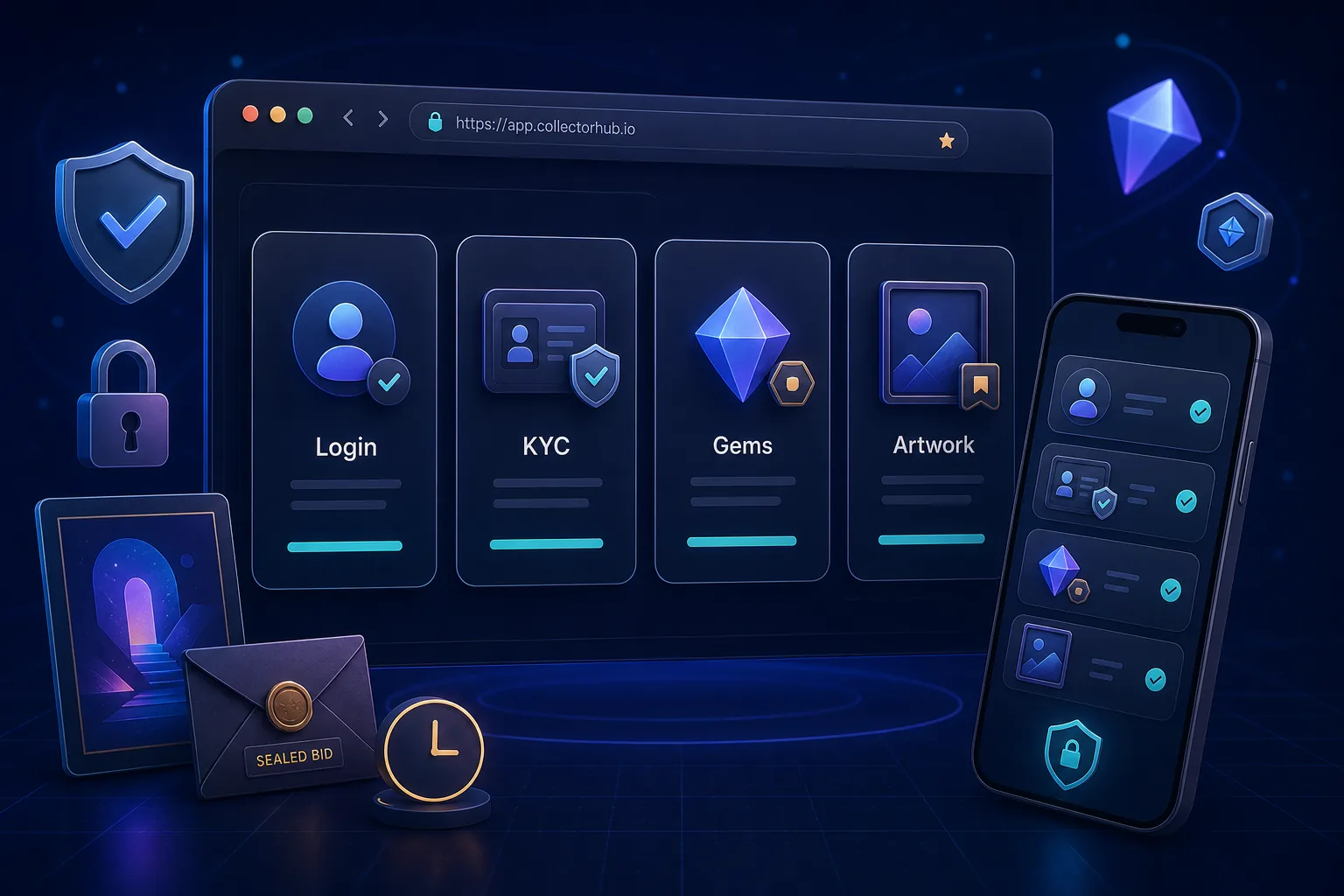
TL;DR: Use the VeVe Web App primarily for web-only workflows such as Artworks and Silent Auctions, account checks, and, depending on the situation, Gem purchases and payment options. Always verify that you are accessing VeVe through official channels, keep your KYC and 2FA in order, document auctions with screenshots, and troubleshoot login or payment issues by checking your browser, cookies, device time, and official support channels first.
What is the VeVe Web App, and when do you actually need it?
For many collectors, VeVe remains primarily a mobile app experience: Drops, collections, the Market, comics, collectibles, and notifications are often handled on a smartphone. The Web App complements that experience, but it does not replace every part of it.
The key difference is that, according to VeVe, Artworks are available through the Web App and offered there via Silent Auctions. If you want to access this area, you will need to use the web platform.
Mobile App vs. Web App: use each for the right purpose
- Mobile App: useful for everyday collecting, Drops, push notifications, collection checks, and quick Market activity.
- Web App: useful for Artworks, Silent Auctions, more focused account reviews, KYC status, payment options, and longer detail checks on desktop.
- Do not confuse the two: Using the Web App does not automatically give you more privileges, lower prices, or guaranteed better availability.
If you are new to the ecosystem, start with our overview, What Is VeVe?. For a secure initial setup, also see the VeVe Beginner’s Guide 2026.
Quick start: set up the Web App safely
The most important security rule is simple: Do not open the Web App through DMs, links in comments, search ads, or supposed support forms. Use official VeVe communications, a saved bookmark, or the known app domain that you enter yourself.
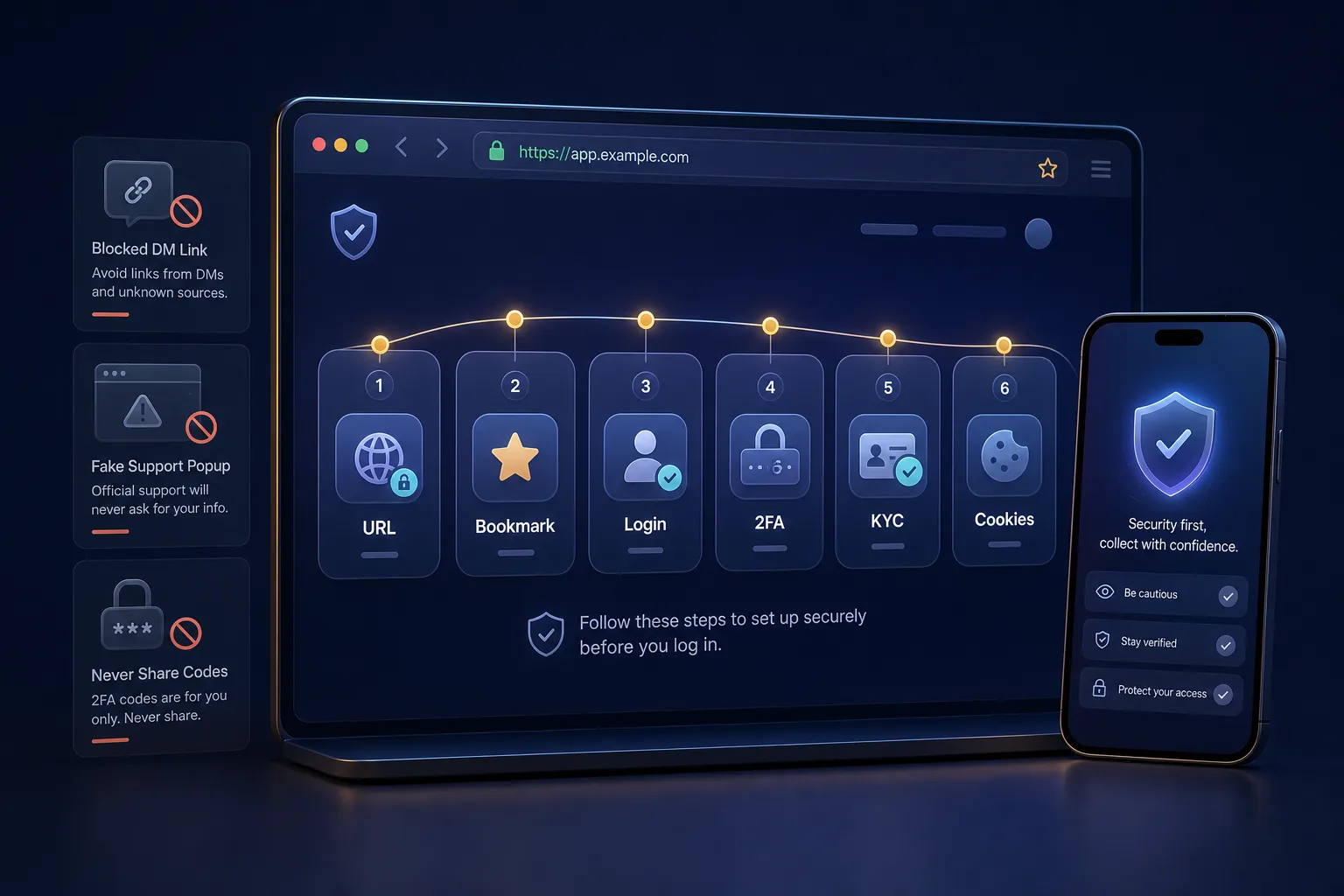
1. Verify the official address
Before logging in, check the domain, spelling, and browser certificate. Scam sites often copy the layout, logo, and login screen while changing only a few characters in the address.
Save the official login page as a bookmark once you have verified it. After that, avoid relying on search engine results every time, as sponsored listings and fake sites can be especially dangerous during periods of increased scam activity.
2. Test your login and 2FA ahead of time
Do not test your login for the first time five minutes before an auction or Drop. Log in beforehand, check your password, email, and security code, and see whether multiple devices or browsers are active at the same time.
If you have been inactive for a long time, also read our guide to dormant VeVe accounts. Especially with older accounts, a calm reactivation plan is better than repeatedly trying things in a rush.
3. Check your KYC status
KYC may be required for certain features. VeVe states that KYC is required to participate in collectible Drops, including Artworks.
If your KYC is incomplete, check your ID, the spelling of your name, the selfie or liveness step, and any document requirements. You can find detailed step-by-step help in our VeVe KYC Guide 2026.
4. Check the browser basics before it matters
- Use an up-to-date browser and keep a second browser available as a backup.
- Allow cookies for the VeVe site, especially for login and checkout.
- Temporarily disable tracking or script blockers if buttons do not respond.
- Clear your cache if old page states or error messages remain stuck.
- Do not use a VPN or location workaround if it could cause issues with your region, payment provider, or KYC.
Artworks and Silent Auctions explained
According to VeVe, Artworks are a dedicated area within the Web App. They are not acquired through a standard app Drop. Instead, they are offered through Silent Auctions with sealed bids placed in Gems.
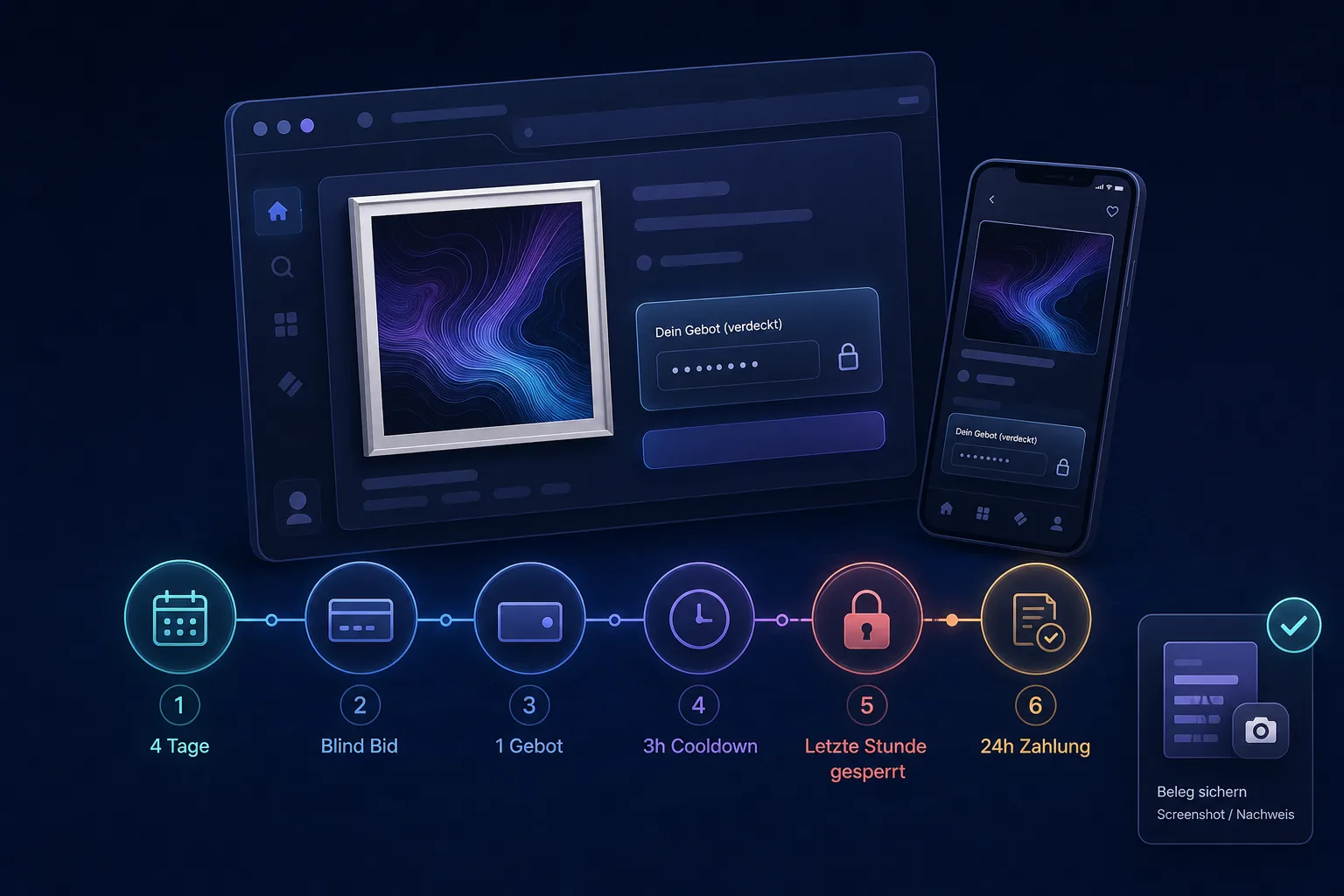
In a Silent Auction, you cannot see what other collectors are bidding. You set your own bid, accept the auction terms, and wait until the auction window closes.
The most important rules
- Four-day window: VeVe specifies a four-day auction window for Artworks.
- One active bid per Artwork: You can have only one active bid per Artwork. If multiple editions are available, you must choose one edition.
- Edit or withdraw: Bids can be changed or withdrawn during the window, but VeVe specifies a three-hour cooldown.
- Final hour: Bids cannot be changed during the final hour before the auction closes.
- Payment deadline: Winners are notified in the Web App and by email and, according to VeVe, have 24 hours to pay for the auction.
- If the winner does not pay: In Silent Auctions, the Artwork may be offered to the second-highest bidder.
Important: Some Artwork auctions may charge an entry fee. Review every auction screen carefully before confirming.
Collector checklist before placing a bid
- Do you genuinely want to collect the Artwork, or are you reacting to FOMO?
- Do you have enough Gems for your personal limit without exceeding your overall budget?
- Is your KYC complete, and does your browser login work?
- Do you understand whether an entry fee applies?
- Can you realistically meet the 24-hour payment deadline after the auction ends?
After bidding, save screenshots of the auction details, bid confirmation, time window, and any later notification. This is not about creating panic; it simply gives you a clear record of what you saw and confirmed if questions arise.
If you do not have a VeVe account yet, do not start with an auction. First read our VeVe Sign-Up Bonus Guide. It explains how to get started without the hype. New users can currently receive a free $10 sign-up credit, without implying any promise of profit or value.
2FA and login troubleshooting
Login problems rarely have one obvious cause. Sometimes it is the password, sometimes delayed emails, and sometimes the browser or blocked cookies. Work through the issue methodically instead of repeatedly clicking at random.
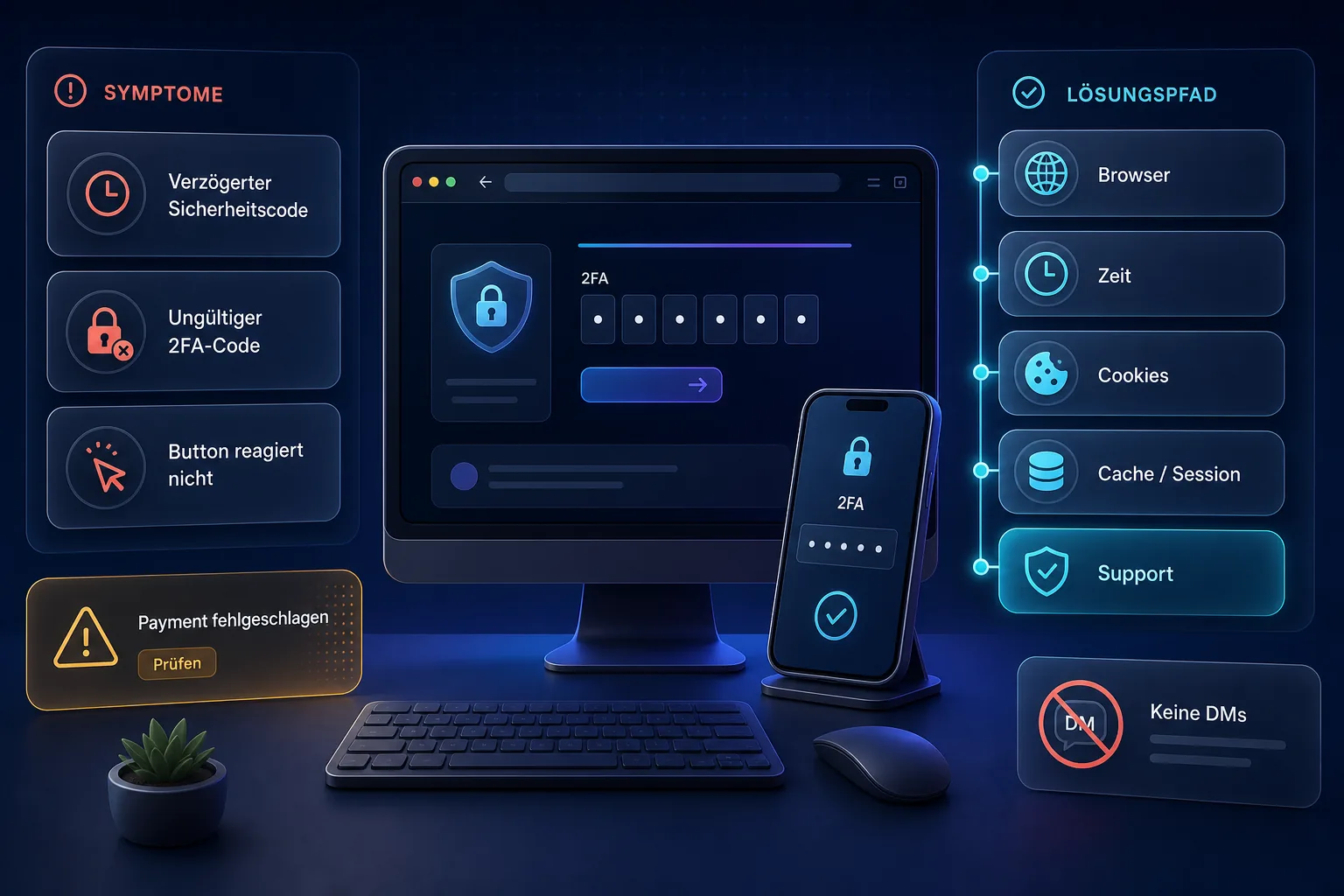
Issue: The security code does not arrive
- Check spam, promotions, trash, and filter rules in your email account.
- Wait a few minutes before requesting multiple new codes.
- Make sure you are checking the correct email account.
- Secure your email account and email 2FA before taking further account-related steps.
Issue: The 2FA code is not accepted
- Use only the newest code rather than trying several older emails.
- Set your device’s date, time, and time zone to update automatically.
- Restart your browser and allow cookies for VeVe.
- Switch between mobile and desktop if one device repeatedly gets stuck.
Issue: A button does not respond or the page loads endlessly
This is often a browser or session issue. Clear the site’s cache and cookies, temporarily disable aggressive ad blockers, check your pop-up blocker, and try an up-to-date standard browser.
If you have made many failed attempts, wait a short while. Too many rapid requests can trigger additional security measures in web apps.
When to contact support
Contact official VeVe Support if you still cannot access your account after verifying your email, resetting your password, changing browsers, and checking your device. Before reaching out, gather screenshots, approximate times, your device and browser details, the error message, and your account email.
If your account appears restricted, also read VeVe Restricted Access: Causes, Consequences, and Immediate Action Plan. It can help you avoid creating additional risks through DMs, secondary accounts, or off-platform deals.
Understanding Gems and payments in the Web App
Gems are the internal balance used within the VeVe system. According to the VeVe Terms, Gems are not legal tender and should not be considered real money. Since the change in November 2025, Gems have also been classified as non-transferable and non-withdrawable.
This matters when setting expectations: Purchasing Gems is intended for use within the VeVe ecosystem. It is not a deposit into a financial account and does not promise that you will later be able to cash out outside VeVe.
Common payment errors
- Payment failed: Check your card, bank authorization, 3D Secure, limits, and browser session.
- Merchant error: Do not immediately click again. Check your payment method, region, and provider status first.
- Region notice: Do not attempt to bypass it with a VPN. Read our VeVe Region Restrictions 2026 guide for more information.
- Unclear fees: Review the purchase method, platform rules, and net effect before buying Gems.
For a direct comparison between the website and app, see our dedicated article, Buying VeVe Gems: Website vs. App 2026. It takes a closer look at pricing, availability, payment methods, and common errors.
If you want to understand the closed-loop Gem system, VeVe Gems Terms Explained Simply is the better in-depth resource.
Anti-phishing: The Web App is only as secure as your access point
The biggest mistake is not clicking the wrong thing within the interface; it is entering through the wrong access point. Scam sites use urgency, including supposed auctions, KYC problems, prize notifications, support DMs, or bonus links.
- Never share 2FA codes with anyone.
- Do not open login links from DMs.
- Do not use Wallet Connect prompts unless VeVe itself requires one for that workflow.
- Do not make off-platform payments for Gems, accounts, or supposed reservations.
- Contact support only through official channels.
If you want to learn more about custody, account security, and future Web3 considerations, also read Custody vs. Self-Custody for Collectors.
VeVe Web App FAQ
Do I have to use the Web App?
The Mobile App is enough for many everyday collectible and Market activities. However, the Web App is essential for Artworks and Silent Auctions because VeVe offers this area there.
Why does my login work in the app but not in my browser?
This may be caused by cookies, cache, session conflicts, ad blockers, or an outdated browser profile. First, try a fresh browser, allow cookies, and make sure your email security code is current.
Can I change an Artwork bid at the last minute?
No. VeVe states that bids for Artworks cannot be changed during the final hour before the auction closes. Set your final bid earlier rather than waiting until you are under time pressure.
Are Gems real money?
No. Gems are an internal VeVe balance and, according to the VeVe Terms, are not legal tender. Since the change in November 2025, Gems should be understood particularly clearly as a closed-loop in-app currency.
What should I do if I see “Payment failed”?
Do not repeatedly confirm the payment in a rush. Check your card, bank authorization, browser, cookies, region, and provider status. If the issue continues, document the error and contact official support.
Conclusion: Think of the Web App as a workspace
The VeVe Web App is not a magic button for better odds. It is a workspace for specific workflows. For Artworks, KYC, login, and payments in particular, being prepared is far better than testing everything under time pressure.
The best collector approach is straightforward: use official links, keep 2FA working, maintain accurate KYC information, set clear budgets, take screenshots during auctions, and avoid off-platform shortcuts. That is what reduces mistakes, support stress, and scam risks.
Affiliate disclosure: If you are new to VeVe and would like to try it, you can sign up through our partner link: Sign up for VeVe with a $10 starting credit. VeVeInsider may receive a commission; there is no additional cost to you, and you will receive a free $10 starting credit.
Sources